
🛒 Where to Buy
⚠️ Golden Rule of Retro Handhelds: Throw away the cheap MicroSD card that comes in the box — it will fail. And never use a high-wattage PD “Fast Charger” on these devices; it can damage the battery. Use a standard 5V/1.5A brick.
Device Overview: One Netbook OneXPlayer X1
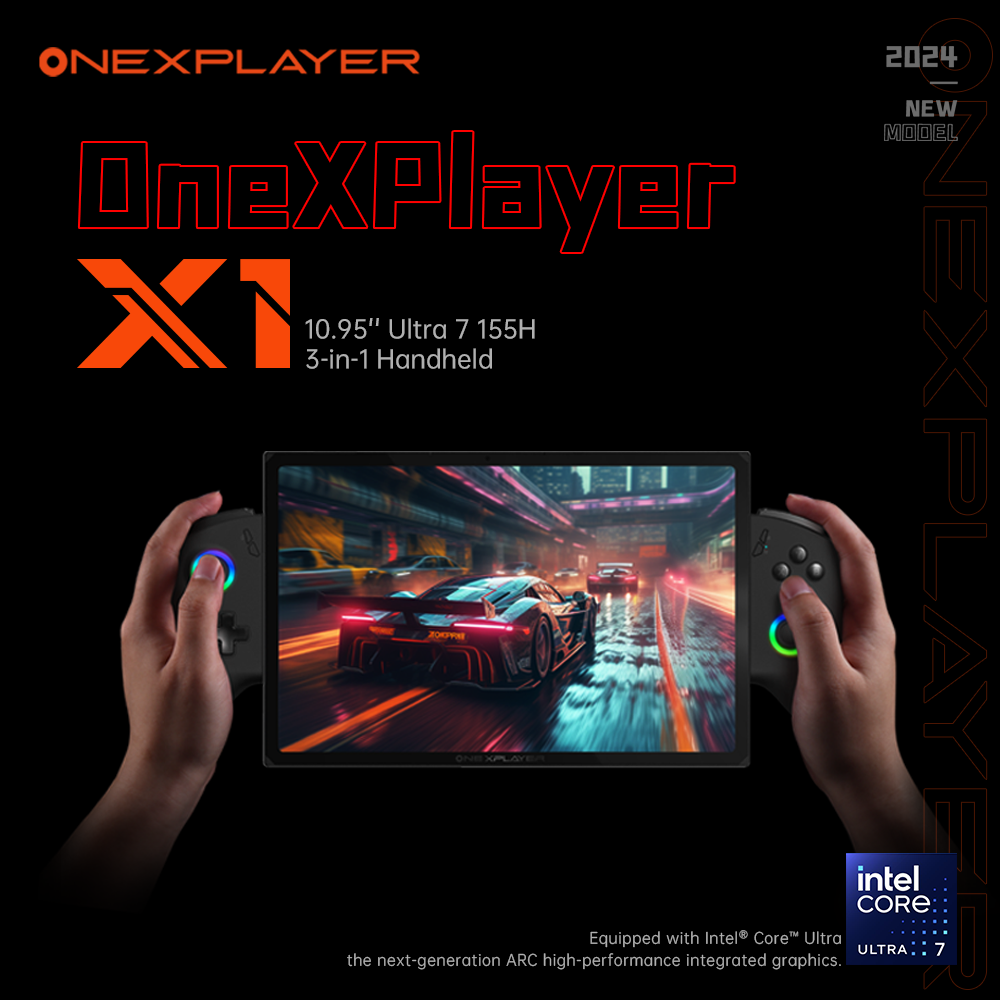
The One Netbook OneXPlayer X1 is not a pocket emulator, and pretending otherwise would misread the whole product. It is a 10.95-inch Windows 11 tablet that clips into a pair of detachable, slide-rail controllers and a magnetic keyboard, making it a three-in-one device that switches between handheld, tablet, and laptop. Think of it as a Surface Pro that games rather than an Anbernic or Retroid rival. The mainstream version ships with Intel’s Core Ultra 7 155H (six performance cores, eight efficiency cores, two low-power cores, 22 threads) and Intel Arc graphics, though One Netbook also sold a lower Core Ultra 5 125H tier and an AMD Ryzen 7 8840U configuration. It launched in February 2024 at roughly $1,099 for the cheapest 155H build, which puts it in a completely different price bracket from the ARM handhelds it superficially resembles.
Emulation performance, generation by generation
Because this is an x86 Windows PC, the emulation ceiling is dramatically higher than any ARM device in this catalog, and you run desktop emulators, not a locked-down front end. Everything through the sixth generation is trivial: NES, SNES, Genesis, PS1, N64, Dreamcast, and PSP all run at full speed in RetroArch or standalone cores with plenty of headroom for high internal resolutions and shaders. GameCube and Wii in Dolphin hold full speed with 3x to 4x upscaling, and PS2 in PCSX2 is comfortable. Wii U through Cemu is very playable, and 3DS in Azahar/Citra runs cleanly. Where honesty matters is the top end. The real limiter here is the Intel Arc iGPU and its still-maturing drivers, a point every reviewer hammered at launch. Switch emulation (now via Ryujinx forks after Yuzu’s shutdown, or Eden-style builds) runs many titles but the Arc Vulkan path throws occasional graphical glitches that an AMD Radeon 780M in a competing handheld handles more cleanly. PS3 through RPCS3 plays a good chunk of the library but is demanding, and the iGPU keeps it below what a discrete-GPU desktop delivers. PS4 emulation (shadPS4, fpPS4) is genuinely experimental; treat any success as a bonus, not a feature. And of course it runs native Steam, Epic, and Game Pass titles, which no ARM handheld does.
Screen, build and controls
The display is the standout. It is a 10.95-inch LTPS panel at 2560×1600, 16:10, with a 120Hz refresh rate and a 10-point capacitive touchscreen under OCA-laminated tempered glass. That is a lot more panel than a typical handheld, and it is genuinely sharp for emulated content upscaled to native resolution. The chassis is 6000-series aluminum, measures 252 x 163 x 13mm, and weighs about 789g for the tablet alone, which is heavy in the hands over long sessions and is really designed to be propped up or docked. The detachable controllers use clickable Hall effect thumbsticks on both sides, a d-pad, standard face buttons, analog L2/R2 triggers, and four programmable buttons; there is no rumble motor, which is a notable omission at this price. A fingerprint reader lives in the power button and there is a front AI camera for Windows Hello. Connectivity is the other genuine strength: two full-function USB4 Type-C ports, a USB-A 3.2 port, a 3.5mm jack, a microSD slot, and, crucially, an OCuLink port (PCIe 4.0 x4) for an external GPU, plus Bluetooth 5.2 and Wi-Fi. A 65Wh battery and 100W GaN charger round it out; expect well under the claimed eight hours under any real emulation or gaming load.
Software and setup
This runs stock Windows 11, so the custom-firmware conversation is different from the ARM handhelds here. muOS, Knulli, ArkOS, ROCKNIX, and OnionOS are irrelevant on this hardware; they are built for ARM SBCs, not Meteor Lake. What is relevant is EmuDeck, which installs and configures the full Windows emulator stack and front ends like EmulationStation-DE for you, and Batocera or Bazzite if you would rather boot a purpose-built Linux gaming OS off a separate drive. Most owners stay on Windows and pair EmuDeck with Playnite or Steam Big Picture so the tablet behaves like a console on the couch. The catch is that Windows on a handheld is fiddly: you are managing drivers (the Arc GPU driver especially), TDP tools, and touch-first setup on a device with no built-in gamepad-driven launcher out of the box. Budget an afternoon.
Price, value and who it is for
At an original $1,099-plus, later discounted, the X1 is an expensive way to emulate, and it is hard to recommend purely for retro gaming when a Steam Deck OLED or an AMD-based rival does the sub-PS3 job for a third of the money with better driver maturity and rumble. Where it earns its keep is the three-in-one concept: if you want one machine that emulates almost everything, plays native PC games, runs an external GPU over OCuLink, and doubles as a real Windows tablet and laptop, nothing ARM comes close. Buy it for that versatility and the excellent screen, not as a value emulation box, and go in clear-eyed about the Arc driver quirks at the very top of the emulation stack.
📐 Size & Pocketability
⚖️ Weight vs Other Handhelds
🔋 Real-World Battery Estimator
⭐ Emulation Performance
📊 View How This Score is Calculated
The Hardware Power Score is an absolute metric. Perfect emulation of difficult, modern consoles awards significantly more points than standard retro consoles.
- 15× Multiplier: Modern PC
- 12× Multiplier: Switch, PS3, Xbox 360
- 10× Multiplier: Wii U
- 8× Multiplier: PS2, GameCube, Wii, Xbox
- 5× Multiplier: Saturn, Dreamcast, PSP
- 3× Multiplier: N64, PS1
- 1× Multiplier: SNES, GBA
Gen 8 & PC
Generation 7
Generation 6
Generation 5
Handhelds & Retro
⚡ Performance Benchmarks
Where One Netbook OneXPlayer X1 Intel Arc Graphics (8 Xe-cores) lands against the handhelds everyone knows. Every bar shares one scale, so longer genuinely means faster — add up to two rivals to compare.
CPU = Geekbench 6 multi-core · GPU = 3DMark Wild Life. Median real-world scores; every bar shares one scale — add up to two rivals to compare.
📋 Full Specifications
📺 Display
⚙️ Platform
💾 Memory
🕹️ Controls
📏 Body
🔋 Battery
⚖️ Verdict
✅ The Good
- Full x86 Windows PC ceiling: flawless through PS2/GameCube/Wii, strong Switch/PS3 emulation, plus native Steam and Game Pass
- Excellent 10.95-inch 2560×1600 LTPS screen at 120Hz with laminated tempered glass
- Genuine three-in-one design with detachable Hall effect controllers and magnetic keyboard for handheld, tablet, and laptop use
- Standout connectivity: dual USB4, USB-A, and an OCuLink port for an external GPU
❌ The Bad
- Very expensive (launched around $1,099-plus) compared with dedicated emulation handhelds
- Intel Arc iGPU drivers are immature and cause glitches in the most demanding emulators (Switch/PS3)
- Heavy at ~789g with no rumble motor and fiddly Windows-on-handheld setup out of the box
📰 Latest News & Guides
The Ultimate Guide to ARMSX3: Android’s New PS3 Emulator, Competitor Comparisons, and Setup Tutorial
18/08/2026Pokémon Gold, Silver, and Crystal (Gen 2) Recomp Lands on Android
17/08/2026How to Play the Pokémon Red, Blue, or Yellow Recomp on Your Android, Windows, and Linux Devices
16/08/2026🔍 Similar Handhelds
Other handhelds that emulate up to CURRENTGEN.