
🛒 Where to Buy
⚠️ Golden Rule of Retro Handhelds: Throw away the cheap MicroSD card that comes in the box — it will fail. And never use a high-wattage PD “Fast Charger” on these devices; it can damage the battery. Use a standard 5V/1.5A brick.
Device Overview: One Netbook OneXFly Apex
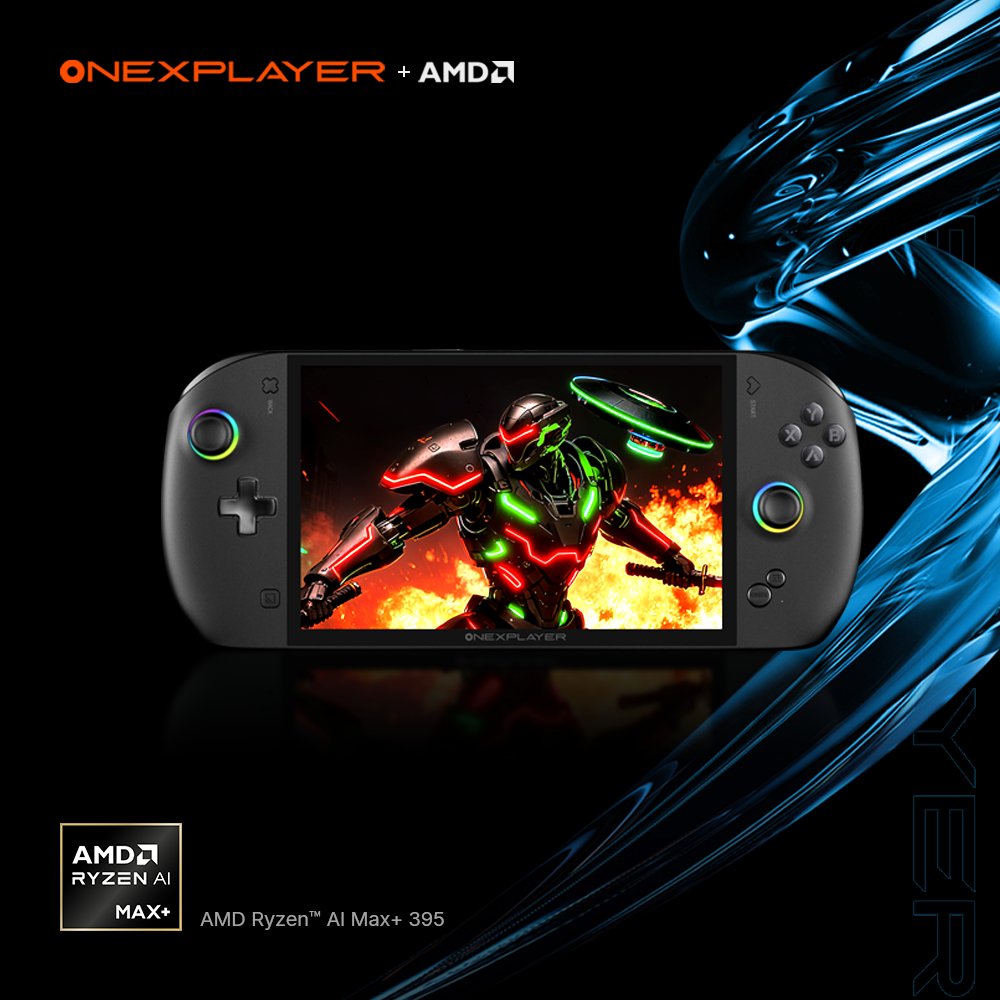
The One Netbook OneXFly Apex is not a pocketable retro toy, and it would be dishonest to review it as one. It is a Windows 11 handheld built around AMD’s Strix Halo silicon — the Ryzen AI Max 385 (8 cores) or the flagship Ryzen AI Max+ 395 (16 cores, 32 threads) — paired with quad-channel LPDDR5X unified memory in 32GB, 64GB or up to 128GB configurations. This is the same tier of chip you would find in a thin-and-light laptop, not the low-power ARM in a Miyoo or an Anbernic. So while it emulates everything, emulation is really a side effect of a machine designed to run current AAA PC games in your hands. Judge it against a ROG Ally X or a Steam Deck, not against a $150 emulation stick.
Emulation performance, generation by generation
With a chip this capable, the interesting question is never whether it runs an SNES or a Mega Drive — it idles through the 8-bit, 16-bit, PS1, N64, Dreamcast and PSP eras with power to spare. The real headroom shows in the demanding emulators. The integrated Radeon 8060S (RDNA 3.5, 40 compute units on the Max+ 395) sits roughly in mobile RTX 4060 territory, which is why PS2 via PCSX2 runs at 4x–6x native resolution, GameCube and Wii via Dolphin hold locked framerates the discs never delivered, and Wii U via Cemu upscales cleanly to 4K internal. PS3 via RPCS3 and Xbox 360 via Xenia both run, though those two remain title-by-title gambles that depend on emulator maturity rather than the silicon. Switch emulation — after yuzu’s shutdown, through Ryujinx forks and successor builds — pushes many games past their original frame caps. PS Vita via Vita3K is playable but still compatibility-limited. The unified memory pool helps here: you can hand the GPU a large VRAM allocation, which matters for high-resolution PS3 and Wii U work. The bottleneck across the board is emulator polish and per-game quirks, not the hardware.
Screen, build and controls
The Apex uses an 8-inch 1920×1200 IPS LCD at 120Hz with variable refresh and around 500 nits. That 16:10 shape is genuinely useful for both games and the Windows desktop, and 120Hz VRR is welcome. Be clear-eyed about the trade-off, though: this is an LCD, not OLED, so blacks are grey and contrast is ordinary, and 500 nits is fine indoors but marginal in daylight. The smaller OneXFly F1 Pro actually has the nicer OLED panel. Build is a heavyweight: roughly 706g standard, 776g for the liquid-cooled version, so this is a two-handed brick for couch and desk rather than a coat-pocket device. Controls are a mixed bag. The triggers are Hall-effect with adjustable long/short throw and an analog-to-digital switch, which is excellent, but the thumbsticks are capacitive potentiometer units, not Hall-effect — a real omission when far cheaper handhelds now ship drift-proof Hall sticks. You also get a six-axis gyro, dual rumble, a fingerprint power button and Harman-tuned speakers. Cooling is dual-fan copper as standard, with an optional detachable “Frost Bay” liquid cooler for sustaining the 120W TDP. The 85Wh battery is an external swappable pack on a blade connector with its own charging dock — clever for hot-swapping, but it adds bulk and is another thing to carry.
Software and setup
It ships with Windows 11 Home, and that brings the familiar handheld-Windows friction: a desktop OS driven by a gamepad, awkward scaling, and driver and TDP tools you have to babysit. One Netbook’s OneXConsole handles power limits and fan curves. The custom-firmware reality here is completely different from the ARM Linux handhelds this catalog usually covers — muOS, Knulli, ArkOS, ROCKNIX and OnionOS simply do not apply to an x86 machine. What is relevant is EmuDeck on Windows for a Steam Deck-style emulation front end, Playnite or HandheldCompanion for a controller-first shell over the desktop, or wiping Windows entirely for Bazzite (a SteamOS-like Linux) or Batocera if you want a console-style boot straight into your library. One caveat worth flagging: Strix Halo is new silicon, so Linux support and third-party tooling are still maturing, and you may hit rough edges the more established Steam Deck avoids.
Price, value and who it is for
Pricing starts near $1,399 for the Max 385 with 32GB and 1TB, and loaded Max+ 395 configurations run from roughly $2,299 up to about $3,129. That is laptop money — multiples of a Steam Deck OLED or a ROG Ally X, and an order of magnitude more than any dedicated emulation handheld. You are paying for AAA-native headroom that pure emulation rarely needs. It makes sense for someone who wants a no-compromise Windows handheld that also happens to obliterate every emulator, who values the swappable battery and the upgradeable M.2 plus Mini SSD storage, and who is not squeezed on budget. If your goal is PS2-and-below retro on the couch, a Steam Deck or a sub-$200 Anbernic does that for a fraction of the price and weight, and your wrists will thank you.
📐 Size & Pocketability
⚖️ Weight vs Other Handhelds
🔋 Real-World Battery Estimator
⭐ Emulation Performance
📊 View How This Score is Calculated
The Hardware Power Score is an absolute metric. Perfect emulation of difficult, modern consoles awards significantly more points than standard retro consoles.
- 15× Multiplier: Modern PC
- 12× Multiplier: Switch, PS3, Xbox 360
- 10× Multiplier: Wii U
- 8× Multiplier: PS2, GameCube, Wii, Xbox
- 5× Multiplier: Saturn, Dreamcast, PSP
- 3× Multiplier: N64, PS1
- 1× Multiplier: SNES, GBA
Gen 8 & PC
Generation 7
Generation 6
Generation 5
Handhelds & Retro
📋 Full Specifications
📺 Display
⚙️ Platform
💾 Memory
🕹️ Controls
📏 Body
🔋 Battery
⚖️ Verdict
✅ The Good
- Strix Halo APU (up to Ryzen AI Max+ 395 with Radeon 8060S) crushes demanding emulators like PCSX2, Dolphin and Cemu at high internal resolutions, and runs current AAA PC games natively
- 8-inch 1920×1200 120Hz VRR panel with a practical 16:10 aspect for both games and the Windows desktop
- Hall-effect adjustable triggers, 85Wh hot-swappable external battery, upgradeable M.2 plus Mini SSD storage, and optional detachable liquid cooling for sustained 120W
- Full Windows 11 x86 platform means real emulator front-ends (EmuDeck, Playnite) or a Linux swap to Bazzite/Batocera, with no ARM compatibility ceiling
❌ The Bad
- Very expensive (roughly $1,399 to $3,129) and heavy at around 706-776g, so it is laptop money and a two-handed brick, not a pocket device
- Thumbsticks are capacitive potentiometer units rather than Hall-effect, and the LCD panel (500 nits, no OLED contrast) trails the pricier expectation
- Windows-on-a-gamepad friction plus immature Linux/vendor tooling for brand-new Strix Halo silicon means more setup babysitting than a Steam Deck
📰 Latest News & Guides
The Ultimate Guide to ARMSX3: Android’s New PS3 Emulator, Competitor Comparisons, and Setup Tutorial
18/08/2026Pokémon Gold, Silver, and Crystal (Gen 2) Recomp Lands on Android
17/08/2026How to Play the Pokémon Red, Blue, or Yellow Recomp on Your Android, Windows, and Linux Devices
16/08/2026🔍 Similar Handhelds
Other handhelds that emulate up to CURRENTGEN.