
🛒 Where to Buy
⚠️ Golden Rule of Retro Handhelds: Throw away the cheap MicroSD card that comes in the box — it will fail. And never use a high-wattage PD “Fast Charger” on these devices; it can damage the battery. Use a standard 5V/1.5A brick.
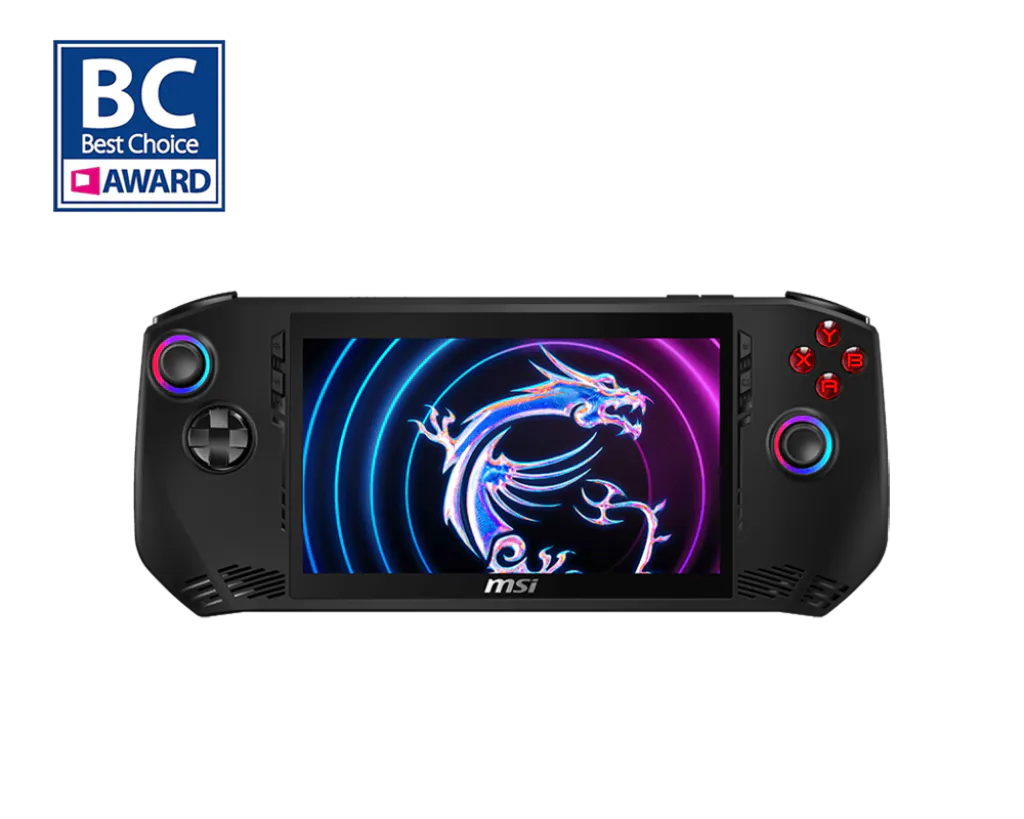
Device Overview: MSI Claw A1M
The Claw A1M is the handheld that bet against the room. Every other Windows handheld in early 2024 ran an AMD Ryzen Z1 chip; MSI, in its first-ever handheld, went with Intel’s Meteor Lake silicon instead, the Core Ultra 7 155H (or the cheaper Core Ultra 5 135H) with an Arc Xe-LPG integrated GPU and Intel’s first on-die NPU. On paper that was bold. In practice, at the March 8, 2024 launch, it backfired. Reviewers ran the same games on the Claw and an ASUS ROG Ally, both around $700, and watched the Claw lose, sometimes badly, with stuttering frame pacing and titles that ran like slideshows where the Ally was smooth. The hardware wasn’t the whole problem; immature Arc drivers and unfinished software were. GamersNexus titled its review “The MSI Claw is a Mess.” That reputation stuck.
What makes the Claw worth revisiting is that the story changed. Over the following months MSI shipped multiple BIOS revisions and a long run of new Intel graphics drivers, including a late-May 2024 update that lifted frame rates by up to roughly 30% in some games. A device that shipped broken slowly became one that ran most of its library acceptably. It never overtook the Z1 Extreme on raw value, but the gap closed. Against a Steam Deck it offers a sharper, faster 1080p screen and full Windows, at the cost of SteamOS’s tuned-for-handheld simplicity and the Deck’s better battery economy.
Emulation performance, generation by generation
Emulation is the Claw’s redemption arc, and reviewers noticed it stabilized faster than native PC gaming did. Anything up to the sixth console generation is comfortable. Game Boy, GBA, SNES, Genesis, PSP and Nintendo DS run at full speed with overhead to spare. PlayStation 2 through PCSX2 and GameCube/Wii through Dolphin are the real test, and the Arc iGPU clears it: both run well at native handheld resolution, and the Vulkan backends in particular get along with Intel’s drivers, letting you push 2x internal resolution in many titles. Wii U via Cemu is largely playable on Vulkan.
The honest caveat is the seventh generation, where Intel’s emulation maturity lagged AMD’s. PlayStation 3 through RPCS3 is rough; Intel’s iGPU hits compatibility and performance walls AMD handhelds don’t. Nintendo Switch emulation (the now-archived Yuzu, or Ryujinx) is per-game: lighter titles run, but Intel driver quirks surface more visual bugs and crashes than the equivalent AMD device. PS3 and Switch are “tinker until it works” territory here, not “load and play.” If your library is PS2-and-older, the Claw is a genuinely strong emulation box; if it’s Switch-heavy, an AMD rival will frustrate you less.
Screen, build and controls
The 7-inch display is the standout. It is a 1920×1080 IPS touchscreen at 120Hz, around 500 nits, and it is sharper and faster than the Steam Deck LCD’s 1280×800 60Hz panel. The chassis is large; at 294mm wide and 675 grams it is heavier than an original ROG Ally and you feel it across a long session. The grips are deep and comfortable, though, the result of MSI’s much-advertised ergonomic shaping. Controls are a high point: Hall-effect analog sticks and Hall-effect triggers, which resist the stick drift that plagues potentiometer-based pads, plus HD haptics and RGB rings around the sticks and ABXY. Build quality feels solid even if the device runs warm and the fan gets audible under load.
Software and setup
This is where the Claw still asks for patience. It runs full Windows 11 Home, so it plays anything Windows plays: Steam, Epic, Game Pass, Battle.net, standalone emulators. The flip side is Windows on a 7-inch touchscreen, which means stylus-precision tapping, desktop dialogs that ignore the gamepad, and the occasional driver update you must babysit. MSI’s overlay, MSI Center M, handles TDP, fan curves and performance modes, but it shipped clunkier and less reliable than ASUS’s Armoury Crate. Plan on Windows updates, Intel Arc driver installs and a BIOS flash before you judge performance, since out-of-box firmware is exactly what reviewers panned. Community tools like ClawTweaks have since filled gaps MSI left.
Price, value and who it’s for
Launch pricing was $699 (Core Ultra 5, 512GB), $749 (Core Ultra 7, 512GB) and $799 (Core Ultra 7, 1TB) with 16GB of LPDDR5-6400 across the line. That was ROG Ally money for a device that, at launch, was slower; the value math only works now that drivers caught up and street prices fell. Be clear-eyed, though: MSI’s later Claw 8 AI+ moves to Lunar Lake with the much stronger Arc 140V GPU and bigger battery, and it is the device to buy if you want MSI’s current best. The A1M makes sense as a discounted pickup for someone who wants a 1080p 120Hz screen, Hall-effect sticks, and a capable retro-through-PS2 emulation machine, and who is comfortable updating drivers. It is not the handheld to hand a beginner who wants to press power and play.
📐 Size & Pocketability
⚖️ Weight vs Other Handhelds
🔋 Real-World Battery Estimator
⭐ Emulation Performance
📊 View How This Score is Calculated
The Hardware Power Score is an absolute metric. Perfect emulation of difficult, modern consoles awards significantly more points than standard retro consoles.
- 15× Multiplier: Modern PC
- 12× Multiplier: Switch, PS3, Xbox 360
- 10× Multiplier: Wii U
- 8× Multiplier: PS2, GameCube, Wii, Xbox
- 5× Multiplier: Saturn, Dreamcast, PSP
- 3× Multiplier: N64, PS1
- 1× Multiplier: SNES, GBA
Gen 8 & PC
Generation 7
Generation 6
Generation 5
Handhelds & Retro
⚡ Performance Benchmarks
Where MSI Claw A1M Intel Arc Graphics (7 Xe-cores) lands against the handhelds everyone knows. Every bar shares one scale, so longer genuinely means faster — add up to two rivals to compare.
CPU = Geekbench 6 multi-core · GPU = 3DMark Wild Life. Median real-world scores; every bar shares one scale — add up to two rivals to compare.
📋 Full Specifications
📺 Display
⚙️ Platform
💾 Memory
🕹️ Controls
📏 Body
🔋 Battery
⚖️ Verdict
✅ The Good
- Sharp 7-inch 1920×1080 120Hz IPS screen, a clear step up from the Steam Deck LCD
- Hall-effect analog sticks and triggers that resist drift, plus comfortable deep grips
- Strong emulation up through PS2 (PCSX2) and GameCube/Wii (Dolphin) on the Arc Vulkan backends
- Performance improved substantially after launch via BIOS and Intel driver updates (up to ~30% in some titles)
❌ The Bad
- Launched genuinely broken, slower than the same-price ROG Ally until months of patches landed
- Weak PS3 (RPCS3) and inconsistent Switch (Yuzu/Ryujinx) emulation due to Intel iGPU driver limits
- Heavy at 675g with mediocre real-world battery life (often well under 2 hours) and a clunky MSI Center M overlay
📰 Latest News & Guides
The Ultimate Guide to ARMSX3: Android’s New PS3 Emulator, Competitor Comparisons, and Setup Tutorial
18/08/2026Pokémon Gold, Silver, and Crystal (Gen 2) Recomp Lands on Android
17/08/2026How to Play the Pokémon Red, Blue, or Yellow Recomp on Your Android, Windows, and Linux Devices
16/08/2026🔍 Similar Handhelds
Other handhelds that emulate up to CURRENTGEN.