
🛒 Where to Buy
⚠️ Golden Rule of Retro Handhelds: Throw away the cheap MicroSD card that comes in the box — it will fail. And never use a high-wattage PD “Fast Charger” on these devices; it can damage the battery. Use a standard 5V/1.5A brick.
Device Overview: Experimental Pi PiBoy XRS
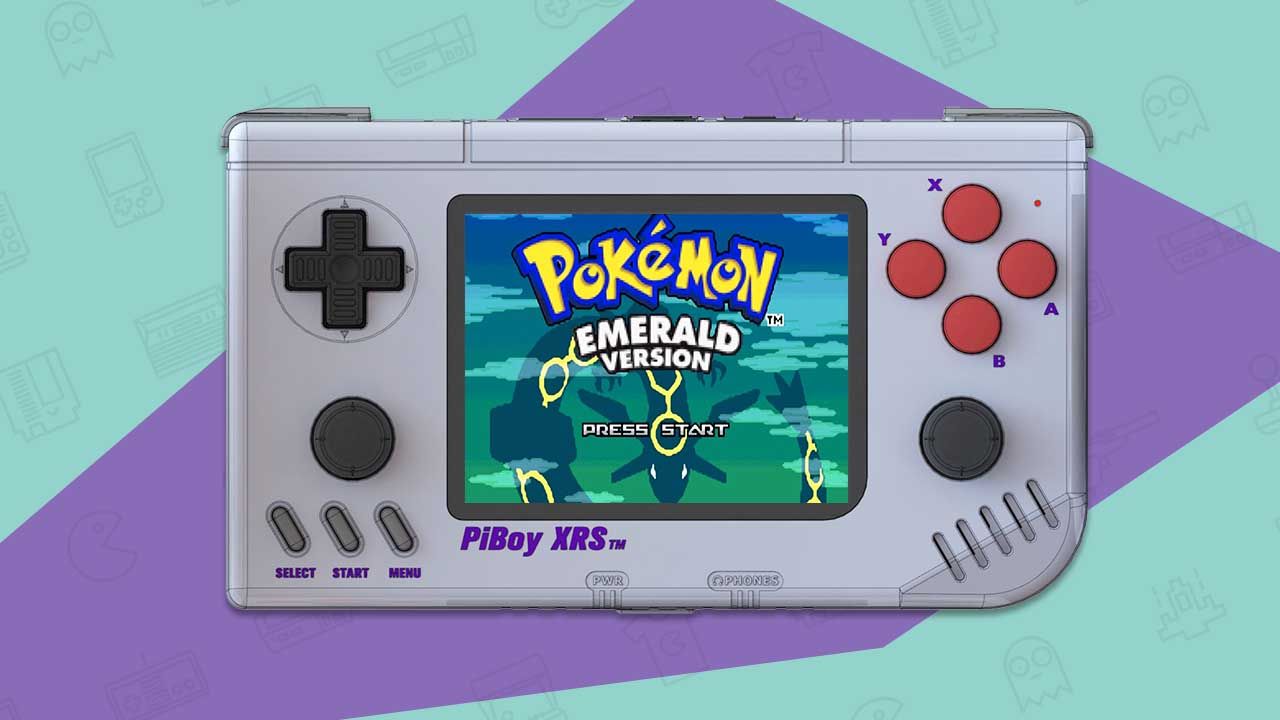
The Experimental Pi PiBoy XRS is not a console you switch on out of the box — it is a horizontal handheld shell and control board that you build around a Raspberry Pi 4 you supply yourself. Where the earlier PiBoy DMG aped the tall Game Boy silhouette, the XRS goes landscape, with dual sticks and a fully modern button cluster. That makes it one of the few Pi-based handhelds that feels engineered rather than printed in a garage: it has a real power-management board, an active cooling fan, safe-shutdown circuitry and an on-screen display for volume and brightness. It arrives as a partially assembled kit that shipped from around 2022; you drop in the Pi, screw it shut and flash a card. It is aimed squarely at tinkerers who already like RetroPie and want a durable body to put it in, not at someone shopping for the cheapest Anbernic on AliExpress.
Emulation performance, generation by generation
Performance is entirely a function of the Broadcom BCM2711 inside the Pi 4 — a quad-core Cortex-A72 at 1.5 GHz with a VideoCore VI GPU — so temper expectations to that ceiling, not to a Windows tablet. 8-bit and 16-bit systems (NES, SNES, Genesis, PC Engine, Game Boy through GBA) run full speed with no drama under RetroArch’s lr-snes9x, lr-genesis-plus-gx and mGBA cores. PlayStation 1 is comfortable through PCSX-ReArmed. N64 is the first wall: lr-mupen64plus-next clears the popular titles but wants a modest overclock to hold framerate, and awkward games still stutter. Dreamcast via Flycast or the licensed Redream runs many games near 60 fps, again happiest overclocked and well cooled. PSP through PPSSPP is playable but selective — 2D and lighter 3D titles are fine, heavier ones drop frames. Saturn is a coin-flip, since its dual-CPU design punishes ARM cores. Arcade coverage through FBNeo and MAME is broad, from CPS-1/2 boards up to lighter Naomi sets. Anything above that — GameCube, Wii, PS2 — is off the table; this is an ARM single-board computer, not an x86 emulation box. The XRS’s built-in fan genuinely helps here, letting you sustain an overclock a passively cooled Pi could not.
Screen, build and controls
The 3.5-inch IPS panel runs at 640×480 in a native 4:3 shape behind tempered glass. That resolution is modest by 2020s standards, but 4:3 is the honest aspect ratio for the fifth-generation-and-older libraries this thing targets, so games fill the screen without pillarboxing. The display is driven over the Pi’s DPI/GPIO interface rather than HDMI, which keeps input latency low. The chassis is chunky — 162 x 93 x 36 mm and around 330 g — and reviewers consistently call it solid and comfortable to hold, if heavier than a plastic Anbernic. Controls are the mixed part: a good d-pad, four face buttons, dual clickable analog sticks and four shoulder buttons stacked vertically, L1 over L2 and R1 over R2. Those stacked triggers divide opinion and take acclimatisation, and the sticks are conventional potentiometer units — no Hall-effect sensors, so drift is a long-term possibility. The triggers are digital, not analog. A 5600 mAh battery, USB-C charging, mini-HDMI out, the Pi’s USB 2.0/3.0 ports, Gigabit Ethernet and a 3.5 mm jack round it out.
Software and setup
Experimental Pi ships a preconfigured RetroPie image with EmulationStation as the front-end, and the board’s microcontroller adds the niceties a bare Pi lacks: the on-screen display, hotkey volume and brightness, and a clean safe shutdown so you are not yanking power from a live SD card. Because it is ultimately a Raspberry Pi, you are not locked in — Batocera, Lakka and RetroPie-derived images all boot, and you map the XRS’s GPIO controls through the config files the company documents. This is emphatically a hobbyist device: you install the Pi, flash a card, and you are expected to be comfortable editing retroarch.cfg and setting an overclock. Nobody who wants to press power and land on a games menu with zero effort should buy this.
Price, value and who it is for
The kit launched at about $149.95 without a Raspberry Pi, so realistically $190-$240 all-in once you add a 2-8 GB Pi 4 that was itself scarce and overpriced during the shortage years. Against a $100-ish Anbernic or an AYN Odin that outguns it on raw silicon, the XRS was never the value pick — you pay for the build, the ports and the tinker-friendliness. The bigger caveat in 2026 is availability: Experimental Pi’s storefront now redirects to a parked domain, so the XRS looks discontinued and you are shopping the used market with limited official support. Buy one if you specifically want a well-built horizontal Pi 4 shell, already own or enjoy sourcing the Pi, and treat the assembly and tuning as part of the appeal. Anyone who just wants cheap, turnkey retro gaming has better-supported options today.
📐 Size & Pocketability
⚖️ Weight vs Other Handhelds
🔋 Real-World Battery Estimator
⭐ Emulation Performance
📊 View How This Score is Calculated
The Hardware Power Score is an absolute metric. Perfect emulation of difficult, modern consoles awards significantly more points than standard retro consoles.
- 15× Multiplier: Modern PC
- 12× Multiplier: Switch, PS3, Xbox 360
- 10× Multiplier: Wii U
- 8× Multiplier: PS2, GameCube, Wii, Xbox
- 5× Multiplier: Saturn, Dreamcast, PSP
- 3× Multiplier: N64, PS1
- 1× Multiplier: SNES, GBA
Generation 6
Generation 5
Handhelds & Retro
📋 Full Specifications
📺 Display
⚙️ Platform
💾 Memory
🕹️ Controls
📏 Body
🔋 Battery
⚖️ Verdict
✅ The Good
- Genuinely engineered chassis: real power-management board with safe shutdown, an on-screen display, and an active cooling fan that lets you sustain a Pi 4 overclock, which is rare among Pi handhelds.
- Landscape layout with dual clickable analog sticks and a solid d-pad suits N64, PSP and PS1 far better than the vertical PiBoy DMG.
- Full Raspberry Pi 4 I/O is carried through: mini-HDMI out, USB 3.0, Gigabit Ethernet and a 3.5 mm jack, so it doubles as a tiny desktop.
- Open RetroPie/Linux base that is not locked down; Batocera and Lakka also run, and the 4:3 640×480 IPS screen with tempered glass matches the older libraries it targets.
❌ The Bad
- You must buy and install your own Raspberry Pi 4, pushing the real all-in cost to roughly $190-$240 and demanding comfort with flashing images and editing config files.
- Potentiometer sticks with no Hall effect plus vertically stacked L1/L2 and R1/R2 triggers that many find awkward, and a hard emulation ceiling around Dreamcast and PSP with no GameCube or PS2.
- Experimental Pi's official site now redirects to a parked domain, so the XRS appears discontinued: expect used-only stock and thin manufacturer support.
📰 Latest News & Guides
The Ultimate Guide to ARMSX3: Android’s New PS3 Emulator, Competitor Comparisons, and Setup Tutorial
18/08/2026Pokémon Gold, Silver, and Crystal (Gen 2) Recomp Lands on Android
17/08/2026How to Play the Pokémon Red, Blue, or Yellow Recomp on Your Android, Windows, and Linux Devices
16/08/2026🔍 Similar Handhelds
Other handhelds that emulate up to PSP.