
🛒 Where to Buy
⚠️ Golden Rule of Retro Handhelds: Throw away the cheap MicroSD card that comes in the box — it will fail. And never use a high-wattage PD “Fast Charger” on these devices; it can damage the battery. Use a standard 5V/1.5A brick.
Device Overview: AOKZOE A1
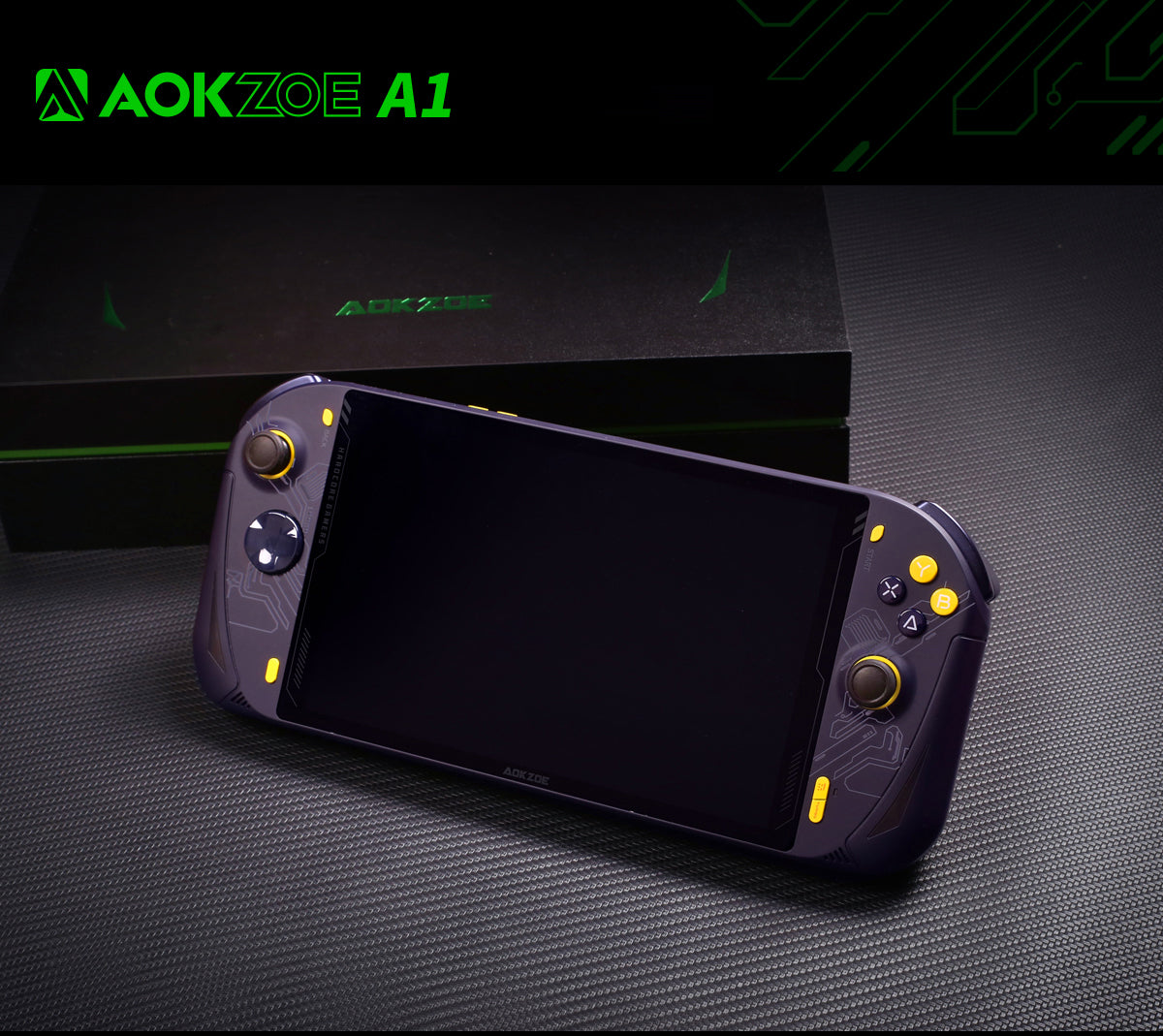
The AOKZOE A1 has one genuine claim to fame: it was the first handheld to ship with AMD’s Ryzen 7 6800U, beating even its own corporate cousins to market in mid-2022. AOKZOE is a spin-off from the One-Netbook orbit that also builds the OneXPlayer line, and the A1 reads like a big-screen answer to it. Do not mistake this for a pocketable emulation toy running Linux on a phone-class ARM chip. It is a full x86 Windows 11 gaming PC folded into an 8-inch slab, far closer in spirit to a Steam Deck than to an Anbernic. Almost every trait that follows, the near-$1,000 launch price, the 65Wh battery, the 729-gram heft, flows from that one decision to run a desktop-class APU instead of a mobile SoC.
Emulation performance, generation by generation
Because this is a Windows machine with a Radeon 680M (12 RDNA 2 compute units) fed by 16GB or 32GB of LPDDR5-6400, the emulation ceiling is high and the software is the full desktop suite: RPCS3, Cemu, PCSX2, Dolphin, DuckStation, PPSSPP, Vita3K and the Switch forks. Everything through the fifth and sixth generations is trivial. NES, SNES, Genesis, PS1, N64, Dreamcast and PSP all run at full speed with heavy upscaling and shaders to spare. GameCube and Wii in Dolphin are effectively flawless at 2x to 3x internal resolution. PS2 through PCSX2 is strong, though a handful of titles still want per-game patches. Cemu handles the marquee Wii U library comfortably. The honest ceiling is PS3 in RPCS3, which is genuinely playable across a wide swathe of games but leans hard on the CPU, spins the fan up and eats battery. Switch emulation was viable here before the emulators were taken down; community forks still run on it. What the A1 is not is a desktop. At its roughly 28W cap you should expect per-game tuning and an hour or two of runtime under an RPCS3 or Cemu load, not the effortless brute force of a plugged-in tower.
Screen, build and controls
The 8-inch IPS panel is the headline feature: 1920×1200, 283 PPI, 100% sRGB and genuinely sharp up close. It is also where the compromises show. Refresh is a plain 60Hz, rated brightness of 350 nits measured closer to 325 in review, and the glossy finish plus that ceiling make outdoor use a chore. Reviewers also flagged PWM flicker at every brightness step, which is worth knowing if you are sensitive to it. Physically the A1 is large and heavy, about 285 x 125 x 21mm and roughly 729 to 735 grams, a committed two-handed device rather than something you palm on a commute. The symmetrical thumbsticks are larger than the Switch’s with good travel, the face buttons are decent and the chassis is rigid without creak. AOKZOE markets the sticks as anti-drift and esports-grade, but launch reviews did not confirm Hall-effect sensors, and the company’s own replacement parts ship in both ALPS and Hall variants, so treat the original A1’s sticks as conventional unless you specifically sourced a Hall unit. The real weak point is the shoulder buttons: Notebookcheck found them stiff, requiring firm presses with inconsistent feedback. Cooling, at least, is effective, though the fan can get loud when you push it.
Software and setup
The A1 ships with Windows 11 Home, and that is both its strength and its homework. Out of the box you get a desktop OS that was never designed for a gamepad, so the real setup is taming it: debloating Windows, installing a controller-friendly front end such as Playnite, and pinning a TDP tool to switch between quiet and full-power profiles. For emulation, EmuDeck runs on Windows and will pull down and configure the whole emulator stack behind EmulationStation-DE in one pass, which is the sane way to organize things here. Unlike an ARM handheld, there is no muOS, Knulli or ROCKNIX scene, because those are Linux images for entirely different silicon. The equivalent move on the A1 is swapping the operating system wholesale: you can wipe Windows for a SteamOS-style Linux build like Bazzite, ChimeraOS or HoloISO if you want a console-like couch experience and better battery behavior. That flexibility is the whole point of buying an x86 handheld, but it does mean the A1 asks more of you than a plug-and-play retro device.
Price, value and who it is for
The A1 launched around $859 to $899 on Kickstarter and sat near $1,099 at retail, with refurbished units later drifting toward $599. In 2022 that undercut the equivalent OneXPlayer while matching its 6800U performance, which was the pitch. In 2026 the calculus is harder. The 6800U is two generations old, AOKZOE’s own A1 Pro and A1X have superseded it, and a used Steam Deck OLED does most of the same emulation for far less money and far less weight. The A1 still makes sense for one specific buyer: someone who wants the largest, sharpest screen available in a 6800U handheld, wants a native Windows game library alongside emulation, and is willing to accept the bulk, the fan, the mediocre shoulder buttons and a premium price to get it. Anyone chasing a light, cheap, grab-and-go emulator should buy an ARM handheld instead and spend the difference on games.
📐 Size & Pocketability
⚖️ Weight vs Other Handhelds
🔋 Real-World Battery Estimator
⭐ Emulation Performance
📊 View How This Score is Calculated
The Hardware Power Score is an absolute metric. Perfect emulation of difficult, modern consoles awards significantly more points than standard retro consoles.
- 15× Multiplier: Modern PC
- 12× Multiplier: Switch, PS3, Xbox 360
- 10× Multiplier: Wii U
- 8× Multiplier: PS2, GameCube, Wii, Xbox
- 5× Multiplier: Saturn, Dreamcast, PSP
- 3× Multiplier: N64, PS1
- 1× Multiplier: SNES, GBA
Gen 8 & PC
Generation 7
Generation 6
Generation 5
Handhelds & Retro
⚡ Performance Benchmarks
Where AOKZOE A1 AMD Radeon 680M lands against the handhelds everyone knows. Every bar shares one scale, so longer genuinely means faster — add up to two rivals to compare.
CPU = Geekbench 6 multi-core · GPU = 3DMark Wild Life. Median real-world scores; every bar shares one scale — add up to two rivals to compare.
📋 Full Specifications
📺 Display
⚙️ Platform
💾 Memory
🕹️ Controls
📏 Body
🔋 Battery
⚖️ Verdict
✅ The Good
- First handheld with the Ryzen 7 6800U and Radeon 680M, enough grunt to push PS3, Wii U and Switch emulation, not just retro
- Large 8-inch 1920×1200 IPS screen with full sRGB coverage that is crisp and roomy indoors
- Runs full Windows 11, so you get the entire desktop emulator suite plus native PC games, or you can wipe it for Bazzite/SteamOS
- Big 65Wh battery, rigid chassis and effective cooling that keeps the grips cool under load
❌ The Bad
- Heavy at roughly 730g with a 60Hz panel, glossy glare and PWM flicker that hurt portability and outdoor use
- Stiff, inconsistent shoulder buttons and unconfirmed stick technology (conventional, not verified Hall on the launch unit)
- Near-$1,000 launch pricing looks steep in 2026 against newer chips and a cheaper, lighter used Steam Deck OLED
📰 Latest News & Guides
The Ultimate Guide to ARMSX3: Android’s New PS3 Emulator, Competitor Comparisons, and Setup Tutorial
18/08/2026Pokémon Gold, Silver, and Crystal (Gen 2) Recomp Lands on Android
17/08/2026How to Play the Pokémon Red, Blue, or Yellow Recomp on Your Android, Windows, and Linux Devices
16/08/2026🔍 Similar Handhelds
Other handhelds that emulate up to CURRENTGEN.