
🛒 Where to Buy
⚠️ Golden Rule of Retro Handhelds: Throw away the cheap MicroSD card that comes in the box — it will fail. And never use a high-wattage PD “Fast Charger” on these devices; it can damage the battery. Use a standard 5V/1.5A brick.
Device Overview: TRIMUI Smart Brick
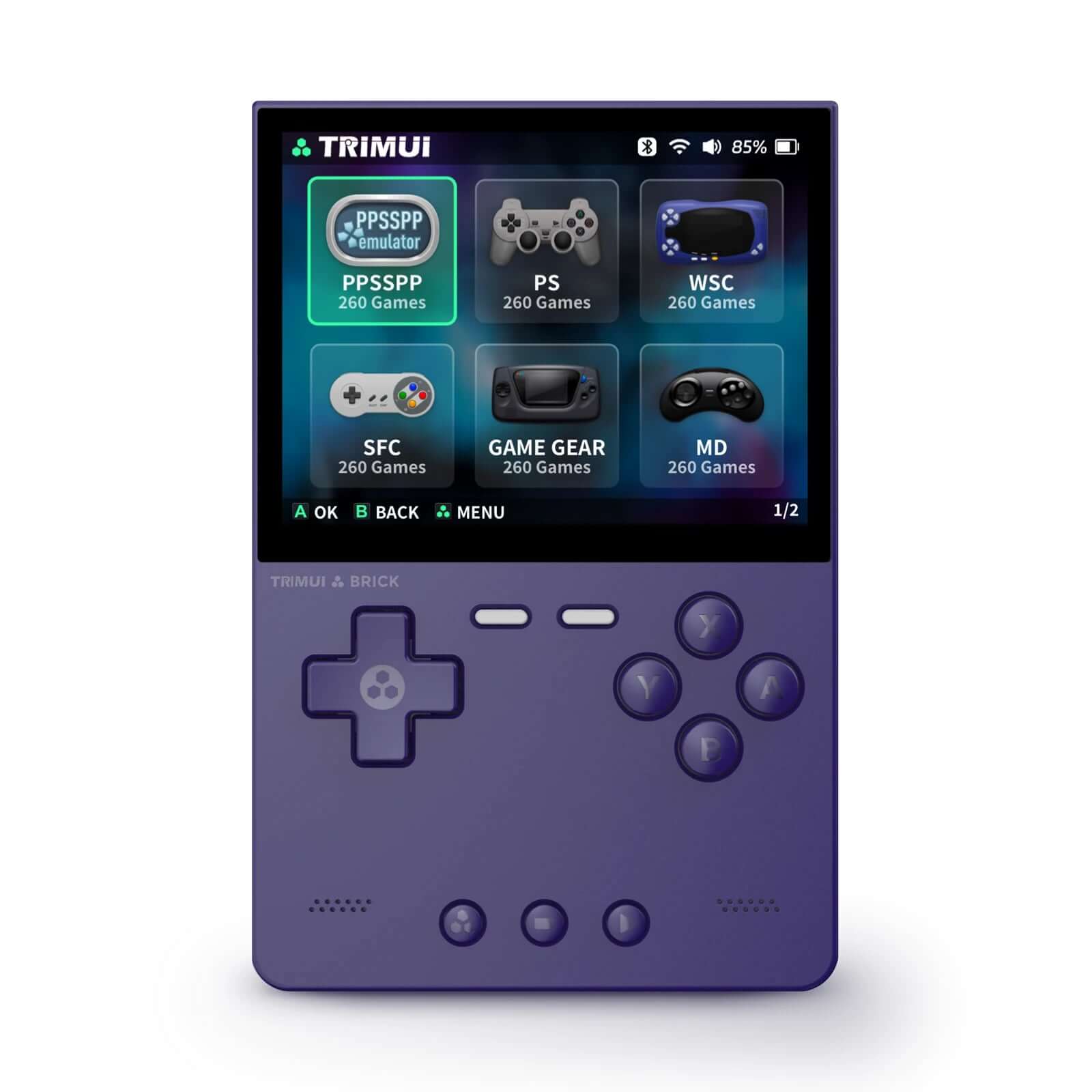
The TRIMUI Smart Brick is a pocket-sized vertical emulation handheld built around a 3.2-inch, 1024×768 IPS panel in a tall Game Boy-style body. It launched in late 2024 at roughly $70 to $80 depending on the bundled microSD card, and it quickly became the value benchmark for the under-$100 vertical category. It is not a Windows machine and it is not an Android device: it runs a lightweight Linux stack on a modest Allwinner chip, and its whole appeal is doing 8-bit through PlayStation-era games extremely well in a shell you can genuinely forget is in your jacket pocket. TRIMUI markets it as the “Brick,” and the design earns the name with a chunky, dense feel and multi-colour LED strips that most competitors at this price skip.
Emulation performance, generation by generation
The heart of the Brick is the Allwinner A133P (sometimes labelled A133 Plus), a quad-core ARM Cortex-A53 running up to around 1.8GHz, paired with a PowerVR GE8300 GPU near 660MHz and just 1GB of RAM. Read that chip honestly and the ceiling is clear. NES, SNES, Genesis/Mega Drive, Master System, PC Engine, Game Boy, GBC and GBA all run at full speed with headroom to spare in RetroArch cores or standalone emulators like mGBA and Snes9x. PlayStation 1 through the PCSX ReARMed core is the sweet spot and generally holds full speed, and Neo Geo plus most CPS and pre-3D arcade sets via FBNeo and MAME are comfortable. Above that line, be realistic: Nintendo 64 (Mupen64Plus), Dreamcast (Flycast) and PSP (PPSSPP) are technically launchable but inconsistent, and the total absence of an analog stick makes N64 and PSP awkward to actually play even in the titles that hit playable frame rates. Saturn is effectively off the table. In practice most owners set overclock profiles per-core, cap PS1 to its native resolution rather than upscaling, and lean on RetroArch’s run-ahead only for the lighter 2D systems where the CPU has spare cycles. This is a 2D powerhouse that occasionally flirts with 3D, not a 3D machine, and buying it expecting smooth Gran Turismo 2 or God of War: Chains of Olympus will disappoint.
Screen, build and controls
The 3.2-inch 4:3 IPS display is the Brick’s standout part. At 1024×768 it hits roughly 400 pixels per inch, is fully laminated, and integer-scales 4:3 and near-square retro content far more cleanly than the stretched 16:9 panels rivals use. The body weighs about 159 grams and measures roughly 110 x 73mm, small enough to be a true pocket device. Controls are a d-pad, four face buttons, and two pairs of shoulder buttons (L1/R1 and L2/R2), with no analog sticks, no gyro and no touchscreen. The d-pad sits high on the face and some players find it a touch small, but it is accurate for platformers and fighters. There is a USB-C port on the bottom for charging and OTG plus a second port up top, a 3.5mm headphone jack, and a microSD slot. Connectivity covers Wi-Fi (802.11 b/g/n) and Bluetooth, which matter mostly for netplay, scraping box art and pairing a controller for TV-out sessions.
Software and setup
Out of the box the Brick runs TRIMUI’s own minimal Linux launcher, which is functional but plain. The real story is the custom-firmware scene, which is unusually deep for a device this cheap. NextUI and MinUI give you a stripped, fast, MiyooMini-style single-list interface that fans love for its speed and battery discipline. muOS and Knulli (a Batocera derivative) offer fuller, prettier front-ends with scraping, themes and box-art grids. CrossMix OS and SpruceOS round out the options with curated ports and tweaks. All of it installs by flashing an image to a microSD card, so you can keep the stock card untouched and swap between firmwares at will. Expect to spend an evening flashing, adding your own legally-dumped ROMs and BIOS files, and picking cores; this is a tinkerer’s device, not a plug-and-play appliance. A practical wrinkle worth knowing: the Brick ships with only about 1GB of RAM and a small 8GB internal eMMC, so heavy front-ends with large scraped media libraries can feel sluggish, which is exactly why the lean NextUI and MinUI firmwares are so popular on this hardware. Community documentation on GitHub and the retro-handheld forums is mature, images are updated regularly, and recovery is as simple as reflashing the card, so the setup risk is low even for a first-time flasher.
Price, value and who it is for
At $70 to $80 the Brick is one of the best-value handhelds you can buy for its actual job. The 3000mAh battery delivers around five hours of real play and charges over USB-C. The 8GB of internal eMMC is a formality since you will run everything from microSD. Buy it if you want a genuinely pocketable device for retro 2D libraries and PS1, and you enjoy customising firmware. Skip it if you need N64, PSP or Dreamcast as a primary use case, want dual analog sticks, or expect a polished console-like experience with zero setup. For someone who mostly wants Super Mario World, Symphony of the Night and a shelf of arcade classics in their pocket, it is hard to spend $80 better.
📐 Size & Pocketability
⚖️ Weight vs Other Handhelds
🔋 Real-World Battery Estimator
⭐ Emulation Performance
📊 View How This Score is Calculated
The Hardware Power Score is an absolute metric. Perfect emulation of difficult, modern consoles awards significantly more points than standard retro consoles.
- 15× Multiplier: Modern PC
- 12× Multiplier: Switch, PS3, Xbox 360
- 10× Multiplier: Wii U
- 8× Multiplier: PS2, GameCube, Wii, Xbox
- 5× Multiplier: Saturn, Dreamcast, PSP
- 3× Multiplier: N64, PS1
- 1× Multiplier: SNES, GBA
Generation 6
Generation 5
Handhelds & Retro
⚡ Performance Benchmarks
Where TRIMUI Smart Brick Imagination PowerVR GE8300 lands against the handhelds everyone knows. Every bar shares one scale, so longer genuinely means faster — add up to two rivals to compare.
CPU = Geekbench 6 multi-core · GPU = 3DMark Wild Life. Median real-world scores; every bar shares one scale — add up to two rivals to compare.
📋 Full Specifications
📺 Display
⚙️ Platform
💾 Memory
🕹️ Controls
📏 Body
🔋 Battery
⚖️ Verdict
✅ The Good
- Excellent 3.2-inch 1024×768 IPS panel that integer-scales 4:3 retro content cleanly at roughly 400 PPI
- Runs everything up through PlayStation 1, plus Neo Geo and 2D arcade, at full speed
- Genuinely pocketable at about 159 grams with a dense, well-built shell and USB-C charging
- Unusually deep custom-firmware support: NextUI, MinUI, muOS, Knulli, CrossMix OS and SpruceOS
❌ The Bad
- No analog sticks, which cripples N64 and PSP even where the chip can technically run them
- Only 1GB of RAM and a Cortex-A53 chip, so Dreamcast, N64 and PSP are inconsistent at best
- Stock OS is bare and the device really expects you to flash custom firmware to shine
📰 Latest News & Guides
The Ultimate Guide to ARMSX3: Android’s New PS3 Emulator, Competitor Comparisons, and Setup Tutorial
18/08/2026Pokémon Gold, Silver, and Crystal (Gen 2) Recomp Lands on Android
17/08/2026How to Play the Pokémon Red, Blue, or Yellow Recomp on Your Android, Windows, and Linux Devices
16/08/2026🔍 Similar Handhelds
Other handhelds that emulate up to Dreamcast.