
🛒 Where to Buy
⚠️ Golden Rule of Retro Handhelds: Throw away the cheap MicroSD card that comes in the box — it will fail. And never use a high-wattage PD “Fast Charger” on these devices; it can damage the battery. Use a standard 5V/1.5A brick.
Device Overview: Retroflag GPi Case 2W
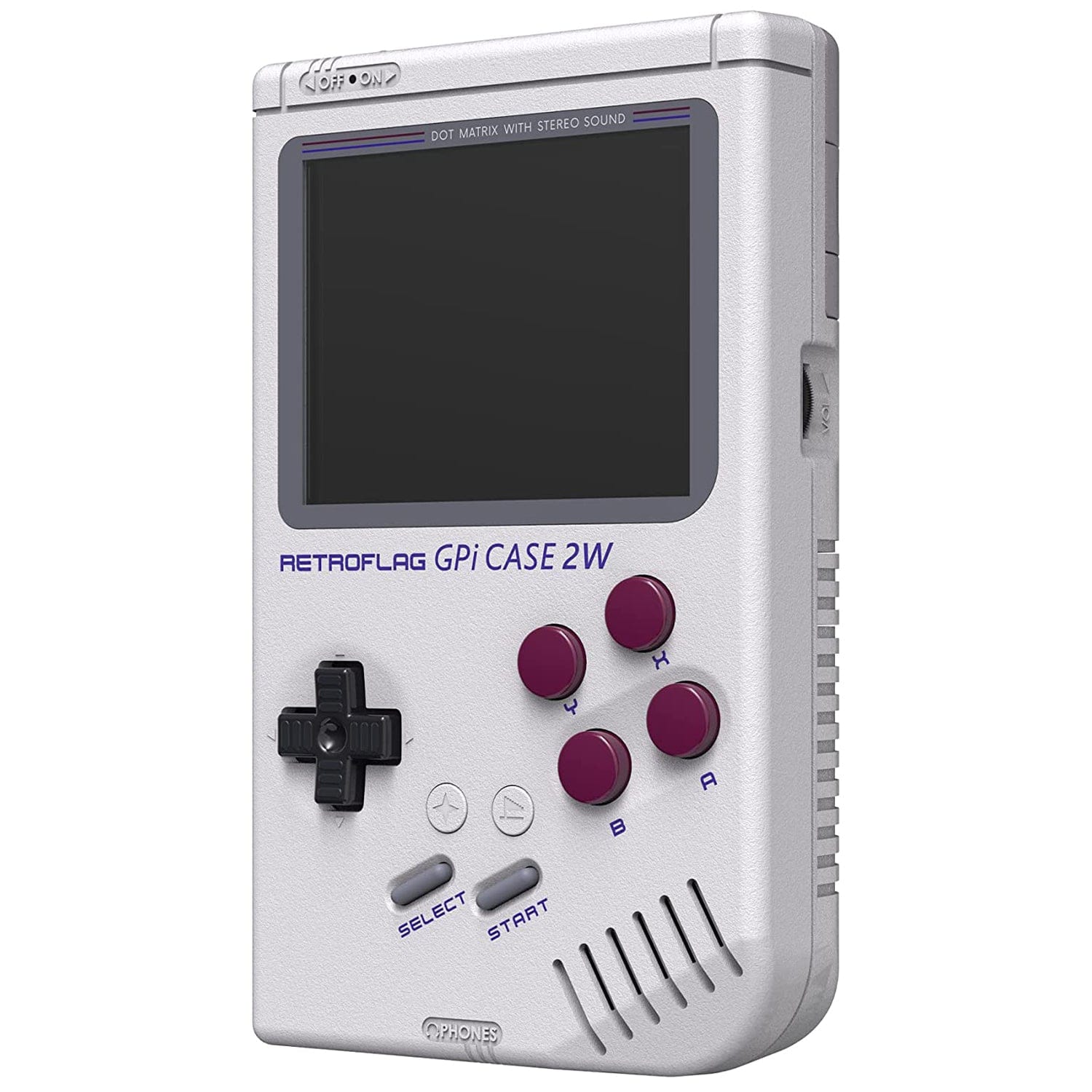
The Retroflag GPi Case 2W is not a handheld you switch on out of the box. It is a shell — a Game Boy-shaped enclosure that swallows a Raspberry Pi Zero 2 W and turns it into a pocket emulator. Retroflag sells the case; you supply the board and a microSD card, then screw the two together with the included pogo-pin adapter so nothing has to be soldered. That arrangement governs everything else here. Raw performance is entirely a function of which Pi you install, and the case only makes sense with the Zero 2 W, whose quad-core Cortex-A53 is the first Zero-series chip with enough muscle to justify the build. Drop in an older single-core Zero W and you get a slideshow above the 8-bit era.
Emulation performance, generation by generation
Judge this device by the Pi Zero 2 W’s Broadcom BCM2710A1: four Cortex-A53 cores at 1 GHz, a VideoCore IV GPU, and just 512 MB of RAM. That silicon is roughly Raspberry Pi 3 class, and it emulates like it. Everything through the 16-bit generation is effortless — NES, SNES, Master System, Genesis, PC Engine, Game Boy, Game Boy Color and Game Boy Advance all run at full speed under RetroArch cores such as Snes9x, Genesis Plus GX and mGBA. Neo Geo and CPS arcade boards are fine with a little core tuning. PlayStation 1 through PCSX-ReARMed is the realistic top end: most of the library holds 60 fps, with the occasional heavy 3D title dipping. Beyond that, honesty matters. Nintendo 64 under Mupen64Plus runs a handful of first-party games and stutters through the rest; the 512 MB ceiling and modest GPU are the wall. PSP via PPSSPP and Dreamcast are wishful thinking. Just as important, the controls kill the point of trying — there are no analog sticks, so N64, PS1 and PSP libraries that lean on them are impractical even when the chip could limp through.
Screen, build and controls
The panel is a real upgrade over the original GPi Case: a 3.0-inch IPS display at 640×480, running at a standard 60 Hz, with genuine viewing angles and colour instead of the washed-out first-generation screen. At that resolution, integer-scaled 4:3 systems look crisp, and the display sits flush in a body measuring 134.6 x 81.3 x 31.7 mm and weighing about 230 g empty — pure Game Boy silhouette, right down to the cartridge-slot hatch that holds the Pi. Controls are membrane, not the clicky microswitches enthusiasts prefer: a d-pad, ABXY face buttons, Start and Select, plus L and R triggers tucked around the back. None of the buttons are Hall effect, and again, there are no thumbsticks. Retroflag adds a physical power switch, a brightness wheel, volume control, a 3.5 mm headphone jack over the built-in speaker, and Turbo and Home buttons the old model lacked. The one genuinely dated choice is charging: the 2800 mAh battery fills through a proprietary USB-to-DC 2.5 x 0.7 mm barrel cable rather than USB-C, so you cannot top it up from an ordinary phone charger, and there is no on-screen battery percentage. Expect several hours of real play from the Zero 2 W rather than Retroflag’s optimistic figures.
Software and setup
This is a Raspberry Pi, so it runs the Pi retro-gaming stack, not the muOS, Knulli or ROCKNIX firmwares built for Allwinner and Rockchip handhelds. Recalbox is the easy path — recent builds detect the GPi Case 2W and wire up its buttons, safe-shutdown and screen automatically. RetroPie works too but expects you to flash a community patch and, ideally, plug in a USB keyboard for first-time configuration. Batocera and Lakka are also viable. Whichever you pick, the case’s safe-shutdown circuit talks to a GPIO script so the power switch cleanly halts the OS instead of yanking power mid-write. Budget an evening for imaging the card, adding your legally owned ROMs and mapping controls; this is a tinkerer’s device, not a plug-and-play console.
Price, value and who it is for
The case alone runs around $60; bundles that include a Zero 2 W and a microSD card typically land near $80 to $100, and the perennially scalped Pi can nudge that higher. That is real money for something you still have to assemble, and integrated Allwinner handhelds like the Anbernic RG35XX line now undercut it while shipping ready to play. What the GPi Case 2W sells is the form factor and the platform: an authentic Game Boy shell plus the enormous, well-documented Raspberry Pi ecosystem behind it. Buy it if you already own a Pi Zero 2 W, enjoy the build as part of the hobby, and mainly want systems through the PS1 era in the most Game Boy-shaped object possible. Skip it if you want analog-stick libraries, USB-C convenience, or something that works the minute it arrives.
📐 Size & Pocketability
⚖️ Weight vs Other Handhelds
🔋 Real-World Battery Estimator
⭐ Emulation Performance
📊 View How This Score is Calculated
The Hardware Power Score is an absolute metric. Perfect emulation of difficult, modern consoles awards significantly more points than standard retro consoles.
- 15× Multiplier: Modern PC
- 12× Multiplier: Switch, PS3, Xbox 360
- 10× Multiplier: Wii U
- 8× Multiplier: PS2, GameCube, Wii, Xbox
- 5× Multiplier: Saturn, Dreamcast, PSP
- 3× Multiplier: N64, PS1
- 1× Multiplier: SNES, GBA
Generation 6
Generation 5
Handhelds & Retro
📋 Full Specifications
📺 Display
⚙️ Platform
💾 Memory
🕹️ Controls
📏 Body
🔋 Battery
⚖️ Verdict
✅ The Good
- Quad-core Pi Zero 2 W drives everything through the 16-bit era, plus most PS1 games, at full speed under RetroArch
- Genuine 3.0-inch 640×480 IPS screen is a large step up from the original GPi Case's dull panel
- Solderless pogo-pin install plus Recalbox auto-detection make assembly approachable, and the safe-shutdown circuit protects the SD card
- Authentic Game Boy form factor with added Turbo/Home buttons, a 3.5 mm headphone jack, and physical brightness and volume controls
❌ The Bad
- No analog sticks, so N64, PS1 and PSP games that need them are effectively off the table
- Charges only through a proprietary USB-to-DC barrel cable, not USB-C, with no battery-percentage readout
- Sold as a bare case: you must supply the Raspberry Pi and microSD card and handle the imaging and setup yourself
📰 Latest News & Guides
The Ultimate Guide to ARMSX3: Android’s New PS3 Emulator, Competitor Comparisons, and Setup Tutorial
18/08/2026Pokémon Gold, Silver, and Crystal (Gen 2) Recomp Lands on Android
17/08/2026How to Play the Pokémon Red, Blue, or Yellow Recomp on Your Android, Windows, and Linux Devices
16/08/2026🔍 Similar Handhelds
Other handhelds that emulate up to PS.