
🛒 Where to Buy
⚠️ Golden Rule of Retro Handhelds: Throw away the cheap MicroSD card that comes in the box — it will fail. And never use a high-wattage PD “Fast Charger” on these devices; it can damage the battery. Use a standard 5V/1.5A brick.
Device Overview: MagicX Zero 40
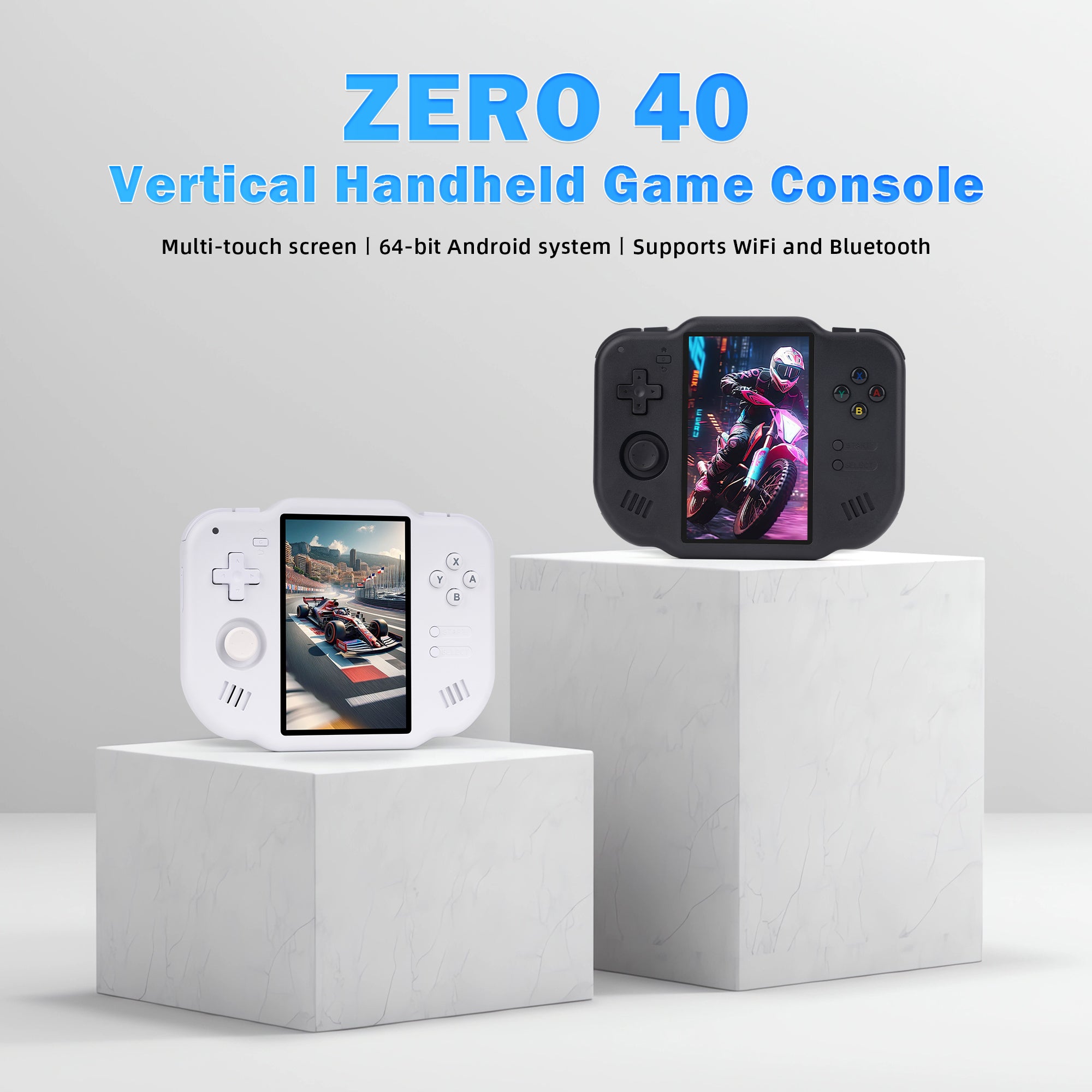
The MagicX Zero 40 is a single-purpose oddity: a portrait handheld built around one idea, playing Nintendo DS the way it was meant to look. Where almost every rival stretches a landscape 16:9 or 3:2 panel, MagicX turned the screen ninety degrees so the DS’s two screens can sit stacked, one above the other, on a single display. That decision defines everything about it. It launched in June 2025 at roughly $75 (and now floats between $51 and $77 depending on the bundled microSD), which makes it one of the cheapest ways to get a purpose-shaped DS machine rather than squeezing dual screens onto a wide display. Inside is an Allwinner A133 Plus: a quad-core Cortex-A53 running at 1.8GHz with a PowerVR GE8300 GPU and 2GB of RAM. A 4300mAh battery is rated for roughly four to seven hours, which is enough for the low-power systems this thing is actually good at. That A133P is a budget tablet chip, though, and it sets hard limits you should understand before buying.
Emulation performance, generation by generation
Treat this as a low-end ARM handheld, not a pocket PC. Everything through the 8- and 16-bit era, NES, SNES, Genesis, Game Boy, GBA, PC Engine, runs at full speed without drama on RetroArch cores. PlayStation 1 is comfortable. The reason this device exists, Nintendo DS via DraStic or melonDS, runs smoothly, and the vertical panel means both DS screens render at a usable size instead of being crammed side by side. N64 and PSP are the ceiling: simpler titles are playable, but demanding ones stutter and you will be fighting per-game settings. Dreamcast and Saturn are where honesty matters, because reviewers found they need frameskip and still do not hold full speed, so treat them as experiments rather than a library. GameCube, Wii, PS2 and Switch are off the table entirely; this silicon cannot touch them. The other catch is aspect ratio: standard 4:3 systems display inside thick black borders on the tall screen, shrinking the effective image to under three inches. Vertical arcade shooters (TATE-mode coin-ops like DoDonPachi) are the happy exception and look better here than on any conventional handheld.
Screen, build and controls
The panel is a 4.0-inch IPS at 480×800, roughly 233 PPI, with full OCA lamination and a 60Hz refresh. It is sharp enough that stacked DS screens stay legible, though each individual DS screen is still smaller than on original hardware. The body is plastic, 136 x 105 x 17mm and 182g, wide and squat, closer to holding a small 2DS or a coaster than a traditional slab. Controls are unusual because of the layout: a d-pad sits top-left with a single Hall-effect analog stick below it, a standard ABXY cluster and Start/Select on the right, plus four in-line shoulder buttons (L1/R1, L2/R2). The Hall stick resists drift, which is welcome at this price. Reviewers rate the build above its cost, though the d-pad runs a touch spongy and the glossy dome buttons are a matter of taste. A capacitive touchscreen handles DS stylus input, a gyroscope is present, and there is a 3.5mm jack alongside dual microSD slots, USB-C and a video output for the TV. Wireless is basic but functional: 2.4GHz WiFi 4 and Bluetooth 4.2, fine for controllers and file transfers rather than fast downloads.
Software and setup
MagicX sells two SKUs. The common one ships Android 10 behind a custom Dawn Launcher front-end, with emulators and a 64GB (up to 128GB) card of preloaded content in the box; a separate Linux-based version also exists. Android is the more flexible path, since you can sideload RetroArch, DraStic, standalone melonDS and your own frontend, and lean on the touchscreen and Bluetooth. What you should not expect is the deep custom-firmware buffet that surrounds Allwinner’s H700 handhelds. There is no mature muOS, Knulli, ArkOS or ROCKNIX build you can flash here the way you can on an RG35XX; the A133P’s community support is thin, so you are largely living on stock Android plus whatever emulators you install yourself. Budget an evening for setup: mapping controls, sorting per-system aspect ratios, and pointing folders at your legally owned ROMs.
Price, value and who it is for
This is a specialist, and it should be bought as one. If your dream is DS games at a sane size, or vertical arcade shooters, the Zero 40 does something no landscape handheld does, and does it for the price of a couple of new games. If you want one device to emulate everything up to PSP with a big bright screen, buy an H700-class handheld instead; it will run the same 8/16-bit and PS1 libraries with a better firmware ecosystem and no black-border problem. The Zero 40 is a second handheld for a collector who specifically wants the DS and TATE niche, not a first or only device. Bought with those eyes open, it is a genuinely clever piece of kit; bought as a do-everything emulator, it will disappoint.
📐 Size & Pocketability
⚖️ Weight vs Other Handhelds
🔋 Real-World Battery Estimator
⭐ Emulation Performance
📊 View How This Score is Calculated
The Hardware Power Score is an absolute metric. Perfect emulation of difficult, modern consoles awards significantly more points than standard retro consoles.
- 15× Multiplier: Modern PC
- 12× Multiplier: Switch, PS3, Xbox 360
- 10× Multiplier: Wii U
- 8× Multiplier: PS2, GameCube, Wii, Xbox
- 5× Multiplier: Saturn, Dreamcast, PSP
- 3× Multiplier: N64, PS1
- 1× Multiplier: SNES, GBA
Generation 6
Generation 5
Handhelds & Retro
⚡ Performance Benchmarks
Where MagicX Zero 40 Imagination PowerVR GE8300 lands against the handhelds everyone knows. Every bar shares one scale, so longer genuinely means faster — add up to two rivals to compare.
CPU = Geekbench 6 multi-core · GPU = 3DMark Wild Life. Median real-world scores; every bar shares one scale — add up to two rivals to compare.
📋 Full Specifications
📺 Display
⚙️ Platform
💾 Memory
🕹️ Controls
📏 Body
🔋 Battery
⚖️ Verdict
✅ The Good
- Portrait 480×800 IPS screen finally shows both Nintendo DS screens stacked at a usable size, which no landscape handheld manages
- Genuinely excellent for vertical TATE-mode arcade shooters that look cramped on every other portable
- Hall-effect analog stick resists drift and build quality punches above the roughly $51 to $77 price
- Cheap entry point with a preloaded microSD, dual card slots, USB-C and Bluetooth in the box
❌ The Bad
- Allwinner A133P tops out around N64/PSP; Dreamcast, Saturn, GameCube and newer are out of reach
- Standard 4:3 systems sit inside thick black borders, shrinking the image to under three inches on the tall screen
- Thin custom-firmware support, with no mature muOS, Knulli or ArkOS build, so you are mostly stuck on stock Android
📰 Latest News & Guides
The Ultimate Guide to ARMSX3: Android’s New PS3 Emulator, Competitor Comparisons, and Setup Tutorial
18/08/2026Pokémon Gold, Silver, and Crystal (Gen 2) Recomp Lands on Android
17/08/2026How to Play the Pokémon Red, Blue, or Yellow Recomp on Your Android, Windows, and Linux Devices
16/08/2026🔍 Similar Handhelds
Other handhelds that emulate up to PSP.