
🛒 Where to Buy
⚠️ Golden Rule of Retro Handhelds: Throw away the cheap MicroSD card that comes in the box — it will fail. And never use a high-wattage PD “Fast Charger” on these devices; it can damage the battery. Use a standard 5V/1.5A brick.
Device Overview: TinyCircuits Thumby
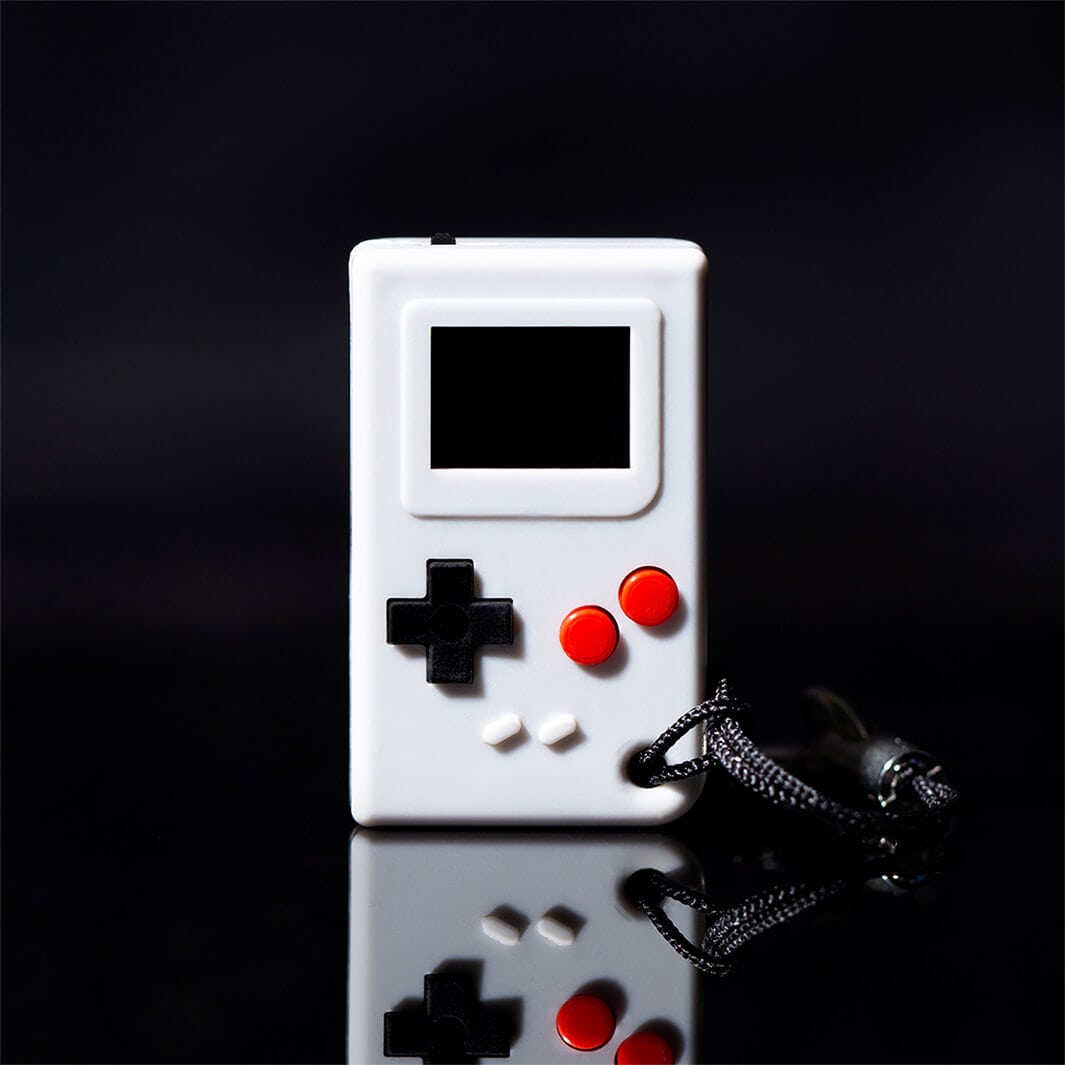
The TinyCircuits Thumby is a working game console roughly the size of your thumb, meant to hang on a keychain next to your keys and dangle there being ridiculous. It measures about 29.5 x 18 x 8.5 mm and weighs under 5 grams, and it plays actual games on a real OLED. Do not read it as a rival to an Anbernic or a Miyoo. It is a STEM toy, a novelty, and a genuinely charming little programmable machine built around the Raspberry Pi RP2040 microcontroller. Judged as “a Game Boy you can lose in your pocket lint,” it is a delight. Judged as an emulation handheld in the normal sense, it barely qualifies, and it is important to say so plainly before anyone spends money expecting Nintendo DS ROMs.
Emulation performance, generation by generation
Here is the honest part: the Thumby is not an emulator and does not pretend to be one. There is no RetroArch, no muOS, no libretro core loading here. What runs on it are original games written by the community in MicroPython or C, distributed through the Thumby Arcade, not ROMs of any commercial system. So “generation by generation” mostly does not apply, and any profile claiming this thing runs Game Boy Advance is lying to you. The chip underneath is capable in microcontroller terms, dual Arm Cortex-M0+ cores clocked up to 133 MHz with 264 KB of SRAM, and the raw RP2040 has been coaxed into emulating simple systems in other projects. The hard wall is the screen. At 72 x 40 pixels and one bit of colour, there is no room to render a Game Boy’s 160 x 144 frame, let alone an NES. The only class of “emulation” that realistically fits the panel is something like a CHIP-8 interpreter, which is monochrome and tiny by nature, and even that is a hobbyist experiment rather than a shipping feature. Treat the Thumby’s ceiling as bespoke 1-bit homebrew, not a retro library.
Screen, build and controls
The display is a 72 x 40 monochrome OLED, physically about 9.7 x 6.9 mm, so text is essentially a few blocky characters at a time and games are designed around abstraction rather than detail. OLED contrast is genuinely good, blacks are true black, and at this size the sharpness is fine because you are holding it two inches from your face anyway. The enclosure is a translucent plastic shell sold in grey, clear, teal, pink and a few other finishes, with the PCB and battery visible through it, which is half the appeal. Controls are six tactile buttons, a four-way D-pad and two action buttons, plus a piezo buzzer that produces exactly the bleeps and bloops you would expect and nothing more. There is no analog stick, no Hall effect anything, no rumble, and there does not need to be. Ergonomically it is a two-thumbs-pressed-together affair, cute for short sessions and cramped for long ones, which the roughly two-hour battery life politely enforces anyway.
Software and setup
The Thumby ships with a 40 mAh LiPo cell charged over micro USB and comes preloaded with five games such as Thumgeon and Saur Run. The real story is the toolchain. TinyCircuits runs a browser-based Code Editor that talks to the device over USB using WebSerial, where you can write MicroPython, flash games from the Thumby Arcade, and publish your own. MicroPython is the on-ramp for beginners and classrooms, while more demanding projects drop to C for speed. There is no custom-firmware scene in the handheld sense, no Knulli, ArkOS, ROCKNIX or Batocera, because there is nothing to reflash toward, the device already is an open MicroPython platform. Its second micro USB port supports a link cable for local multiplayer between two units. There is no Wi-Fi and no Bluetooth. Setup is plug in, open the web editor, drag a game across. For a soldering-averse kid or a teacher this is close to ideal.
Price, value and who it is for
At $29.95 the Thumby is priced as the novelty and learning tool it is, and it is made in small batches by TinyCircuits in Ohio rather than mass-produced offshore, which shows in the finish and the price both. Value depends entirely on what you want from it. If you want a handheld to play Sega Genesis on the bus, this is a waste of thirty dollars and you should buy something with a real screen. If you want the world’s smallest working console as a conversation piece, a keychain that runs code you wrote yourself, or a low-stakes first project for a kid learning Python, it is hard to think of a better thirty-dollar object. It is for tinkerers, teachers, gift-buyers and collectors of the delightfully impractical. Everyone else is shopping in the wrong aisle, and that is fine, because the Thumby was never trying to be in that aisle. Note the newer Thumby Color exists if you want a colour screen and a faster RP2350.
📐 Size & Pocketability
⚖️ Weight vs Other Handhelds
🔋 Real-World Battery Estimator
📋 Full Specifications
📺 Display
⚙️ Platform
💾 Memory
🕹️ Controls
📏 Body
🔋 Battery
⚖️ Verdict
✅ The Good
- Genuinely playable console the size of a thumb, made in the USA and only about 5 grams
- Open, beginner-friendly toolchain: browser-based MicroPython editor plus a community game store, no drivers or IDE setup
- Crisp true-black monochrome OLED and clicky tactile buttons that feel better than the price suggests
- Cheap at $29.95 and a great low-stakes way to teach a kid to code an actual game
❌ The Bad
- Not an emulator: it runs only bespoke MicroPython/C homebrew, no Game Boy, NES or any commercial ROMs
- 72 x 40 one-bit screen and roughly two-hour battery limit it to short, abstract games
- No analog stick, no Wi-Fi or Bluetooth, piezo-only sound, and cramped two-thumb ergonomics for long play