
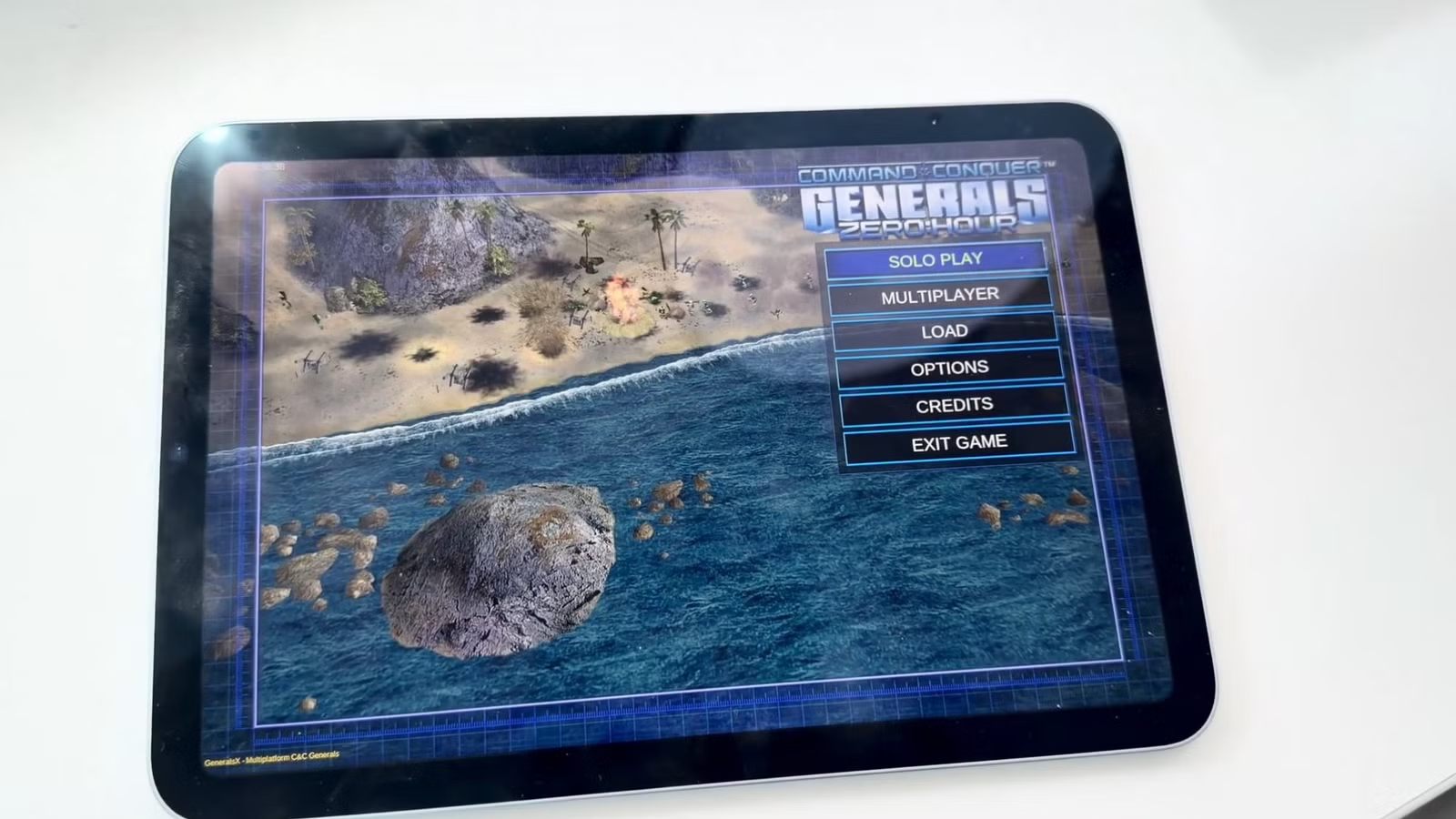
Thanks to the open-source community and some heavy architectural lifting by developer Ammaar Reshi, Command & Conquer: Generals Zero Hour is now fully playable natively on Apple Silicon. This isn’t emulation — it is the actual 2003 C++ engine compiled for ARM64, translated through DXVK and MoltenVK to run on Apple’s Metal API.
The project is entirely community-driven and relies on Electronic Arts’ GPL v3 source code release. To stay legally compliant, the GitHub repository strictly provides the engine — you must bring your own legally acquired game assets.
The Catch: You Have to Build It Yourself
Because this project relies on a complex mix of GPL v3 code, Apple’s code-signing restrictions, and user-provided assets, there is no App Store release or simple .dmg installer. You can download everything here: https://github.com/ammaarreshi/Generals-Mac-iOS-iPad/tree/main
To play it, you must compile the engine from source using Terminal on a Mac. The macOS build is relatively straightforward, but installing it on an iPhone or iPad requires a full Xcode environment and an Apple Developer account so you can sign and sideload the app onto your own device.
Here is how to get it running.
iOS and iPadOS Installation Guide
The mobile version requires sideloading, which means your Mac must compile the code into an Xcode project, bundle your Steam assets inside it, sign the whole package with your Apple ID, and push it to your iPad via a cable.
Prerequisites
On top of the macOS prerequisites listed above, you will need:
- A full installation of Xcode (from the Mac App Store), signed in with your Apple ID.
- A free or paid Apple Developer account (Team ID). You can find your Team ID in Xcode → Settings → Accounts.
- Install XcodeGen via Homebrew:
brew install xcodegen
Build and Sideload
Prepare the mobile dependencies:
Run these commands from inside the GeneralsX directory to fetch the custom iOS version of DXVK, the MoltenVK framework, and the required fonts:
Bash
git submodule update --init references/fbraz3-dxvk
./scripts/build/ios/fetch-moltenvk.sh
./scripts/build/ios/stage-fonts.sh
Generate the Xcode project:
Bash
cmake --preset ios-vulkan
cmake --build --preset ios-vulkan
Add your game assets to the bundle:
Make sure you have already run the ./scripts/get-assets.sh <your_steam_username> command from the macOS instructions so your game data is available locally. The build process will bundle these files (roughly 2.7 GB) directly into the iOS app.
Sign and deploy via Xcode:
This is required to run unauthorized code on iOS.
Open the generated project in Xcode. In the project settings, assign your Apple Developer Team ID to the signing profile. Connect your iPhone or iPad to your Mac, select it as the target device, and hit the “Build and Run” (Play) button in Xcode.
Important Note for iPad Users:
iOS and iPadOS are incredibly strict with memory management. Long sessions of Zero Hour on an iPad can consume upwards of 3 GB of RAM. If you hit this limit, Apple’s OS will instantly terminate the app and drop you back to the home screen without an error message. Save often!
Leave a Reply