
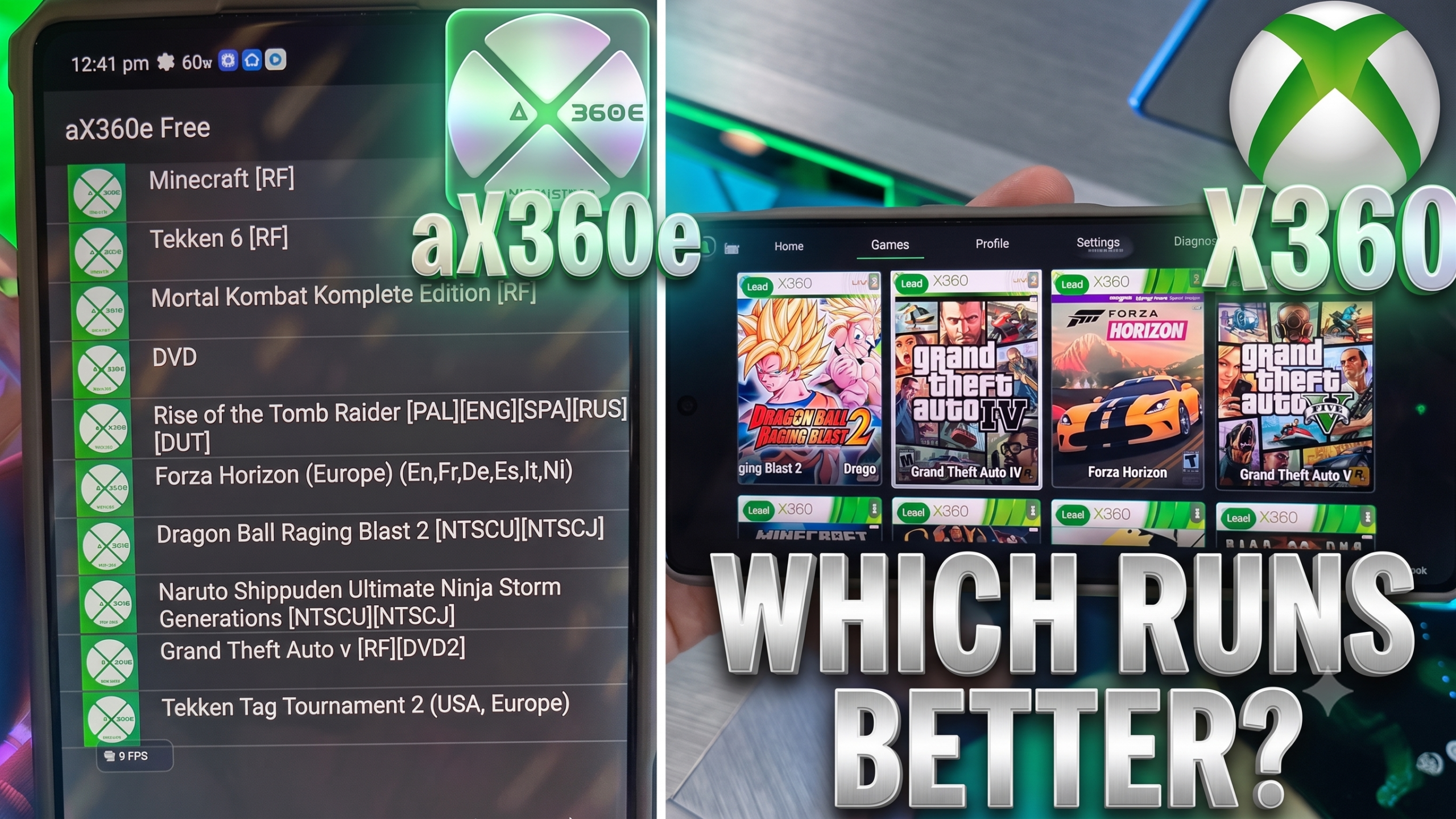
The race to bring 7th-generation console gaming natively to Android has officially exploded. For years, handheld gaming enthusiasts were stuck relying on clunky PC translation layers like Winlator, essentially forcing their smartphones to translate heavy x86 Windows instructions into ARM code just to boot a game. It was a thermal nightmare that drained batteries and melted motherboards.
Now, the era of native ARM64 Xbox 360 emulators has finally arrived, completely shifting the landscape of mobile emulation.
Right now, there are two major contenders fighting for storage space on your high-end Snapdragon device: aX360e Free and the highly anticipated X360 Mobile. Both are built upon the foundational code of the open-source Xenia project (specifically the arm64-backend and Xenia Canary branches), but they take wildly different approaches to mobile emulation, user experience, and monetization.
If you are trying to figure out which one is the true holy grail of handheld emulation, here is our massive, uncompromising deep-dive comparison to help you decide which app deserves your time, your ROMs, and your hardware.
The Contenders: A Tale of Two Emulators
What is aX360e Free? (The Play Store Option)
Developed by Aenu (the same development team behind the aPS3e PlayStation 3 emulator), aX360e Free made massive waves recently by achieving what many thought was impossible: it actually landed an approved listing on the Google Play Store. It is a native Android port based on Xenia’s ARM64 branch, aimed directly at casual users who don’t want to mess with side-loading APKs from random websites.
The Good: It is incredibly accessible. You can download aX360e Free directly from the Google Play Store without navigating GitHub repositories or enabling “Unknown Sources” on your device. It features functional on-screen touch controls right out of the box, supports standard Vulkan rendering for broad compatibility, and natively reads GOD/ISO formats.
The Catch (The Ads): Because it is a “Free” version of a premium app (the developer sells a paid version for $6.99 to remove ads), it is aggressively ad-financed. You will literally have to sit through unskippable mobile advertisements just to boot up your game. Even worse, Xbox 360 emulation is still highly experimental—meaning games crash frequently. Every time the app crashes and you have to restart? Boom. Another ad.
What is X360 Mobile? (The Enthusiast’s Choice)
X360 Mobile is the ambitious, community-driven alternative that has the hardcore handheld scene buzzing. Officially hosted at x360mobile.com, this project cuts out the corporate monetization entirely to focus purely on raw performance, hardware optimization, and a flawless controller-first experience.
- The Good: The raw performance is staggering. Because it is designed to leverage custom Turnip drivers for Adreno GPUs, it allows high-end Snapdragon devices to push dozens of games at full speed. It is 100% ad-free, completely open-source (respecting the original Xenia BSD-3 license), and features advanced game-specific configurations, allowing you to tailor shader compilation and memory constraints for individual titles.
- The Catch: It requires a bit of technical know-how. It is currently in an experimental Alpha phase, meaning you have to sideload the preview build directly from the X360 Mobile GitHub Releases page, manually configure your GPU drivers, and tinker with the backend settings to get things running smoothly.
Head-to-Head Feature Comparison
To see exactly how these two stack up, let’s look at the core features Android gamers care about most.
| Feature | aX360e Free | X360 Mobile |
| Availability | Google Play Store | GitHub Sideload (Alpha) |
| Monetization | Heavy Ads (Premium version available) | 100% Free & Ad-Free |
| GPU Optimization | Basic Vulkan API | Advanced Adreno / Custom Turnip Support |
| UI & Controls | Touch-heavy UI | Controller-first design |
| Game Specific Profiles | No | Yes (Per-game settings supported) |
| Ease of Use | Plug-and-play | Requires manual driver configuration |
| Performance Limit | Choppy, struggles with AAA titles | Full speed on optimized Snapdragon chips |
Deep Dive: Performance and The Turnip Driver Advantage
When it comes to raw frame rates, graphical fidelity, and preventing your phone from catching fire, X360 Mobile absolutely destroys aX360e Free.
The secret sauce lies entirely in X360 Mobile’s backend architecture. Emulating the Xbox 360’s complex tri-core Xenon CPU and unique ATi Xenos GPU is a monumental task. To achieve playable frame rates, you cannot rely on stock Android graphics drivers. X360 Mobile was built specifically to integrate with custom Mesa Turnip drivers on Qualcomm Snapdragon SoCs.
While aX360e Free tries to brute-force its way through games using your phone’s stock system drivers (which often results in slideshow frame rates, missing textures, and immediate crashes), X360 Mobile allows you to optimize the Vulkan rendering pipeline.
If you pair X360 Mobile with a modern flagship device—like the Samsung Galaxy S26 running a Snapdragon 8 Gen 5—and apply the latest Turnip drivers, you are looking at true, full-speed native emulation. During our recent deep-dive testing, we confirmed that massive AAA titles like Gears of War 3, Far Cry 3, Batman: Arkham Origins, and Metal Gear Rising: Revengeance ran flawlessly on X360 Mobile.
Conversely, on aX360e Free, attempting to load those same massive open-world or high-fidelity action games resulted in brutal thermal throttling, severe audio desync, and rapid crashes back to the Android home screen.
User Experience: Convenience vs. Sanity
There is a strong argument to be made for convenience. Downloading an app directly from the Play Store is safer, easier, and inherently more user-friendly for the average consumer. However, the user experience of aX360e Free is fundamentally broken by its monetization strategy.
Emulating a 7th-generation console on a smartphone is inherently unstable right now. Even on the best hardware, games will freeze, shaders will fail to compile, and the app will occasionally crash. When using X360 Mobile, a crash is a minor annoyance; you simply tweak a setting in your game profile, clear your Vulkan cache, reload the ROM, and try again within seconds.
When using aX360e Free, a crash is a punishment. You are forced into an agonizing loop of watching loud, interactive ads for cheap mobile games every single time you need to reboot your emulator. For a community dedicated to video game preservation, locking the Xenia core behind an ad-wall completely shatters the immersion of playing your classic Xbox library.
Controller Support and UI Navigation
Another critical divergence is how these apps handle input. aX360e Free heavily prioritizes its customizable on-screen virtual buttons. While this is great if you are trying to play Geometry Wars on the subway without a gamepad, playing dual-stick shooters like Halo on a glass screen is less than ideal.
X360 Mobile takes a “Controller First” approach. It offers seamless plug-and-play support for physical controllers via Bluetooth or USB-OTG, including modern Xbox Series X|S controllers, the DualSense, and major mobile grips like the Razer Kishi or Backbone One. The UI is designed to be navigated entirely with a D-Pad, making it the superior choice if you are running it on a dedicated Android handheld device like the AYN Odin 2 or the Retroid Pocket 4 Pro.
The Pocket-Gaming Verdict
We applaud the development team behind aX360e Free for managing to get a functional Xbox 360 emulator approved on the notoriously strict Google Play Store. It is a milestone for mobile gaming. However, the highly intrusive ad-financed model, lack of advanced GPU driver injection, and choppy performance make it incredibly difficult to recommend to serious emulation enthusiasts. The constant barrage of pop-up ads turns the already tedious process of testing and configuring ROMs into an agonizing chore.
X360 Mobile is the clear, undisputed winner in this space. Yes, it requires you to bypass the Play Store, sideload an APK from GitHub, and learn how to swap out custom graphics drivers. But the payoff is unparalleled: native, ad-free, high-performance Xbox 360 gaming in the palm of your hand.
If you have the hardware to push it, X360 Mobile is the foundation for a seamless, premium mobile emulation experience. Stop watching ads, start installing your Turnip drivers, and get back to playing the games that defined a generation.
Leave a Reply