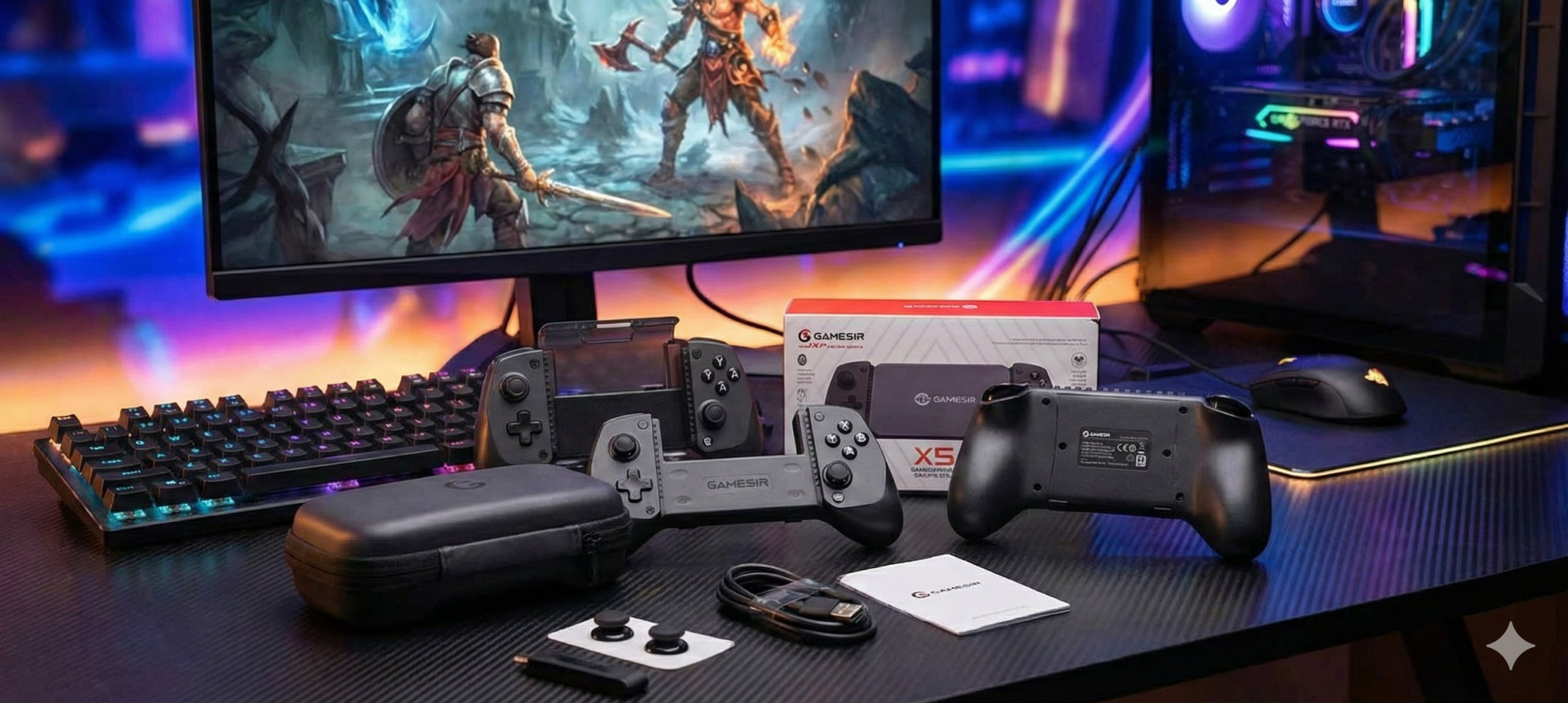
We have officially moved past the era where mobile games were nothing more than “snackable” five-minute distractions while waiting for the bus. With massive, native ports like Resident Evil 7 and Death Stranding now running flawlessly on the latest smartphones, the hardware in your hands desperately needs to match the towering ambition of the software on your screen. If you are trying to play a Kojima production using a touchscreen, you are doing it wrong.
At Pocketgaming, we’ve spent the last few weeks rigorously putting the new GameSir X5s through its paces to see if it can truly bridge the gap between casual swiping and console-grade precision. What we found is a device that feels like a “universal key” for the modern gamer. It is a USD 50 powerhouse that directly challenges the ridiculously expensive status quo of the current mobile accessory market, especially as we edge closer to the Switch 2 era. If you’re looking to upgrade your setup, you can check out the GameSir X5s on Amazon here to see what all the fuss is about.
The All-Round Warrior: Hardware and Design
Who would have thought that switching between gaming devices used to mean managing a tangled, frustrating pile of different controllers? The X5s enters the mobile controller market as a true jack-of-all-trades, and honestly, it might be the first third-party accessory a lot of serious players consider picking up this year. While official first-party controllers from the big three just keep climbing in price without radically improving their core functionality, the X5s feels like it’s been training in the shadows. It brings an elite, pro-tier skill set to an aggressively budget-friendly price point.
One of the most impressive things about the design is how forgiving it is when it comes to your device’s form factor. We all know the pain of having to strip our phones out of their cases just to fit them into a mobile gamepad. Whether your phone is wearing “eighteen layers of autumn pants” (a seriously heavy-duty, rugged case) or has one of those massive, exaggerated camera bumps that make the device wobble on a table, the X5s handles it gracefully. It comes packaged with varying sizes of silicone spacers to ensure a flush, secure fit for almost anything. In the office, we tested it with everything from an iPhone 16 Pro Max all the way up to an iPad mini and a Lenovo Legion Y700 tablet, and it gripped them all like a vice.
GameSir also clearly understands that gamers hate being boxed into a single ecosystem. Take the face buttons, for example. Nintendo and Microsoft use completely different ABXY layouts, which usually guarantees some frustrating muscle-memory confusion when you switch back and forth between emulation and Xbox Cloud Gaming. The X5s completely sidesteps this annoyance by letting you do a physical swap. You just take the included keycap tool, pull the physical buttons right out of the chassis, and snap them into your preferred layout in about thirty seconds. It is a brilliant, tactile solution to a purely digital problem.

Say Goodbye to Stick Drift: Hall Effect Technology
If there is one massive reason to read a GameSir X5s review and immediately consider an upgrade, it is the Hall Effect technology. By using magnets instead of physical friction contacts to measure your thumbstick movements, GameSir has essentially cured the absolute nightmare of stick drift. But it’s not just about longevity and durability; it is entirely about the feel.
The sticks have this incredible delicacy to their input, giving you ultra-precise movement that is backed by a crisp two-million-cycle lifespan. Pair that analog precision with the 256-level linear triggers, and you get the exact kind of micro-control you actually need for high-stakes racing sims or easing your way around a blind corner in a stealth game. And for emulator enthusiasts or fighting game fans, the D-pad is a massive standout. It is rock-solid, has a very short travel time, and feels wonderfully tactile, reminding me a lot of classic arcade fighting sticks from the nineties.
The GameSir App: Fine-Tuning Your Experience
Of course, top-tier hardware is only ever as good as the software driving it, and the companion GameSir app acts as a fantastic DIY toolkit for squeezing every last drop of performance out of the controller. During our review testing, we updated the firmware from v1.13 to v1.18, and the most tangible, immediate change was a massive optimization of the outer dead zone range.
For racing games, this update is huge. It ensures that the absolute “edge” of your thumbstick movement translates instantly and accurately to the screen, entirely killing that sudden, jerky steering you get with cheaper, knock-off gamepads. Beyond dead zones, the app let us tune the dual ALPS linear vibration motors to our exact liking. We were also able to switch the analog triggers to a digital “hair-trigger” mode, an absolute lifesaver for competitive shooters like Call of Duty: Mobile, and easily map rapid-fire turbo inputs for classic arcade shoot-’em-ups.
Real-World AAA Gaming Immersion
We didn’t just test this gamepad with casual puzzle titles, either; we threw the heaviest iOS hitters we could find at it to see if it would buckle. In the claustrophobic, genuinely terrifying hallways of Resident Evil 7, the total lack of stick dead zones made landing panic-induced headshots on Molded enemies feel completely natural. The tactile click of the face buttons gave us the physical feedback we needed to manage our inventory under immense pressure, effectively erasing the usual “mobile handicap” that plagues touch gamers.
When we booted up Death Stranding, the linear Hall triggers let us actually feel the “weight” of Sam’s exhausting trek across the wasteland. The HD vibration from the ALPS motors translated every single stumble over a loose rock or struggle against a raging river current right into the palms of our hands. And whether we were carefully feathering the throttle in GRID Autosport to maintain traction or pulling off complex, frame-perfect combos in Street Fighter, the controller kept up flawlessly without missing a single input.
Battery Life and Seamless Connectivity
To top it all off, the GameSir X5s is an absolute connectivity beast. Most of us will simply use the incredibly low-latency Bluetooth 5.3 connection for everyday smartphone gaming, but it refuses to stop there. It fully supports a wired USB-C connection for PC gaming—where Windows instantly reads it as a native Xbox 360 pad—and even comes with a dedicated 2.4G wireless adapter for seamless desktop play.
Battery life is stellar, too. Nothing ruins an intense gaming session faster than a mid-boss controller shutdown, but the X5s easily hits anywhere from 8 to 12 hours on a single charge. We ran it through a dedicated, highly caffeinated all-night session and never even saw a low-battery warning flash on the screen.
GameSir X5s Mobile Controller
The GameSir X5s is a budget-friendly powerhouse that brings premium features like Hall Effect joysticks and swappable face buttons to the mobile gaming space. It’s an essential “universal key” for gamers who seamlessly transition between phones, tablets, and PCs. While the chassis feels a bit light, the precision and cross-platform versatility are unmatched at this price point.
The Good
Incredible USD 50 price point for pro-level features
Drift-free Hall Effect joysticks and linear triggers
Physical ABXY swapping perfectly solves Nintendo vs. Xbox layout confusion.
Massive physical compatibility easily accommodates thick phone cases and large tablets.
The Bad
Lightweight plastic construction may feel a little flimsy to those used to heavier pro controllers.
The companion app is highly functional but lacks sleek visual polish.
Full Disclosure: This review is 100% independent and not sponsored by GameSir or any other brand. We purchased the GameSir X5s with our own budget to give you our completely unfiltered, honest thoughts. If you make a purchase through our Amazon links, we may earn a small affiliate commission at no extra cost to you.
Leave a Reply